Flash Hunt: The Borrowed Session
Where I started
This is a Flash Hunt from Threat Hunting Labs. The brief was an identity alert for a user signing in from an address she doesn’t normally use, a little after she’d opened a document on her workstation. I had endpoint telemetry for the workstation, Entra ID sign-in, audit and Graph logs, and Exchange audit records, all queryable with KQL.
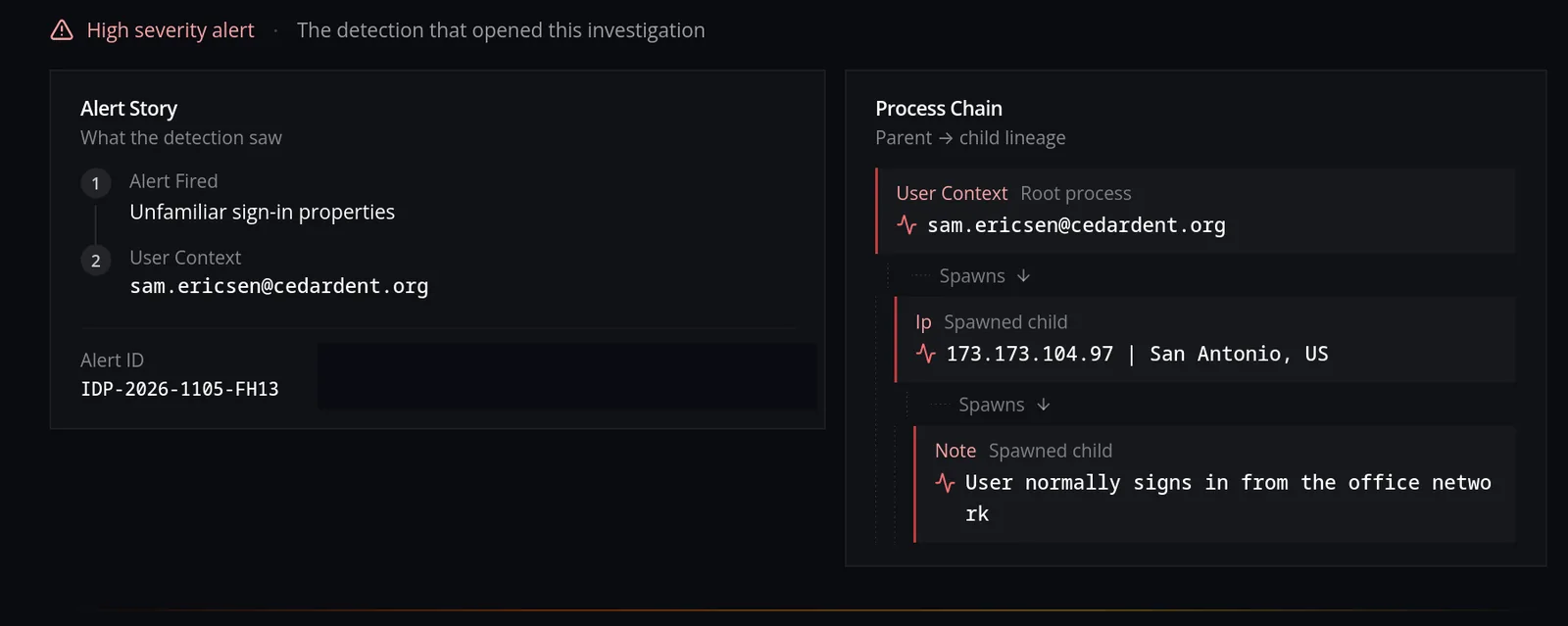
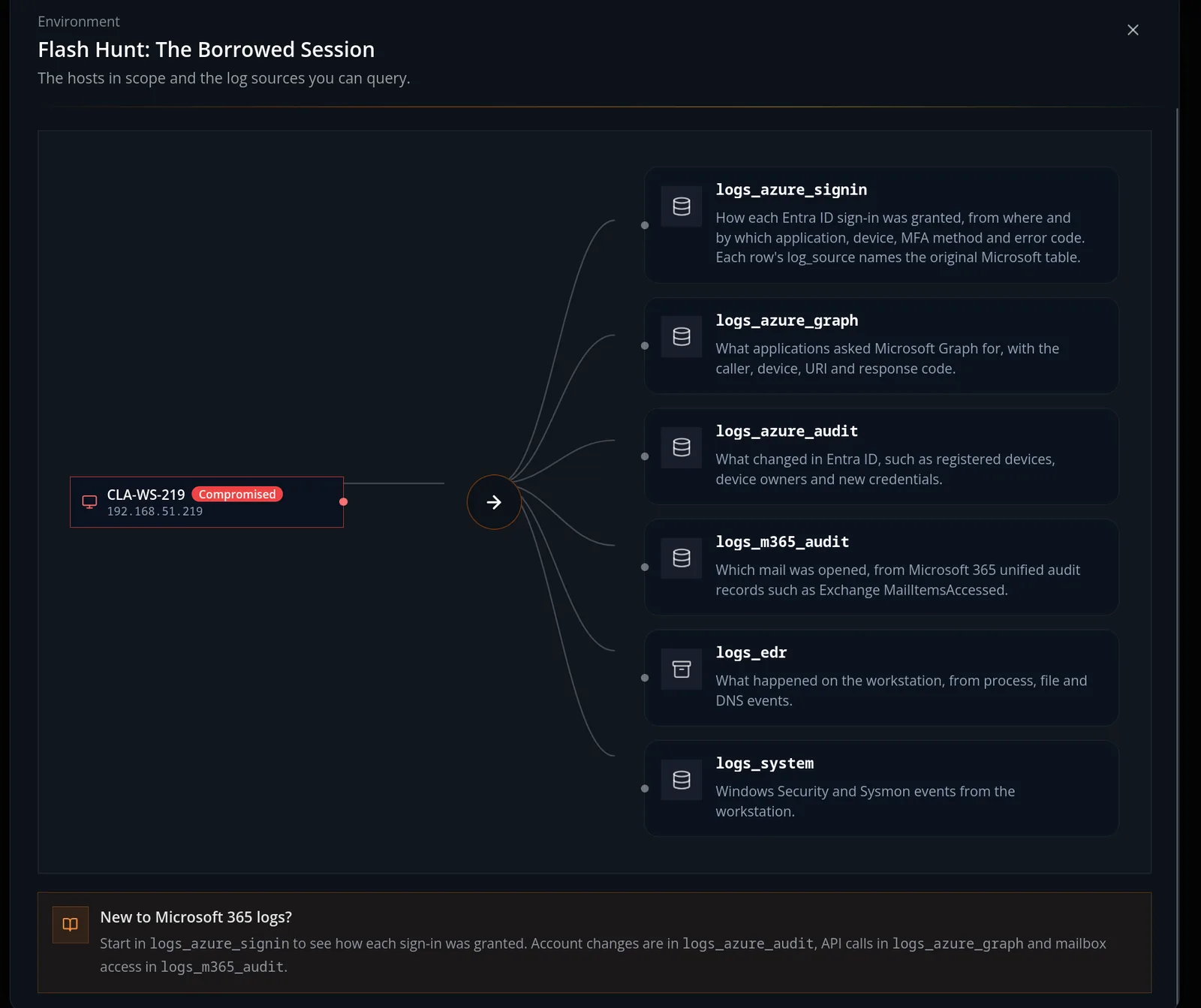
My starting guess was that the document and the sign-in were connected, and that I could walk from the workstation to the identity logs to the mail logs and see how they linked up. I wanted to know where to start looking in each source, so I treated the alert’s user and address as my first two keys.
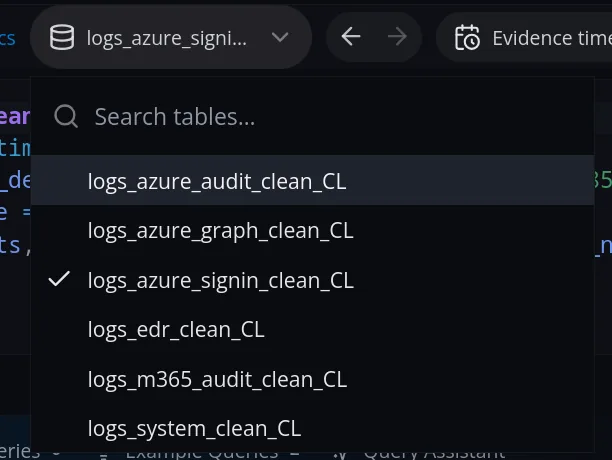
Quick tip for anyone using the console: the query has to start with the table you picked in the picker, and the tables are all named <something>_clean_CL.
How the hunt went
The workstation. I started on the workstation because EDR was the only thing that could tell me what she’d done before the sign-in. The first window I pulled was mostly Edge profile and cache churn and hit the row cap, so I stopped scrolling and grouped by process name to see what was new.
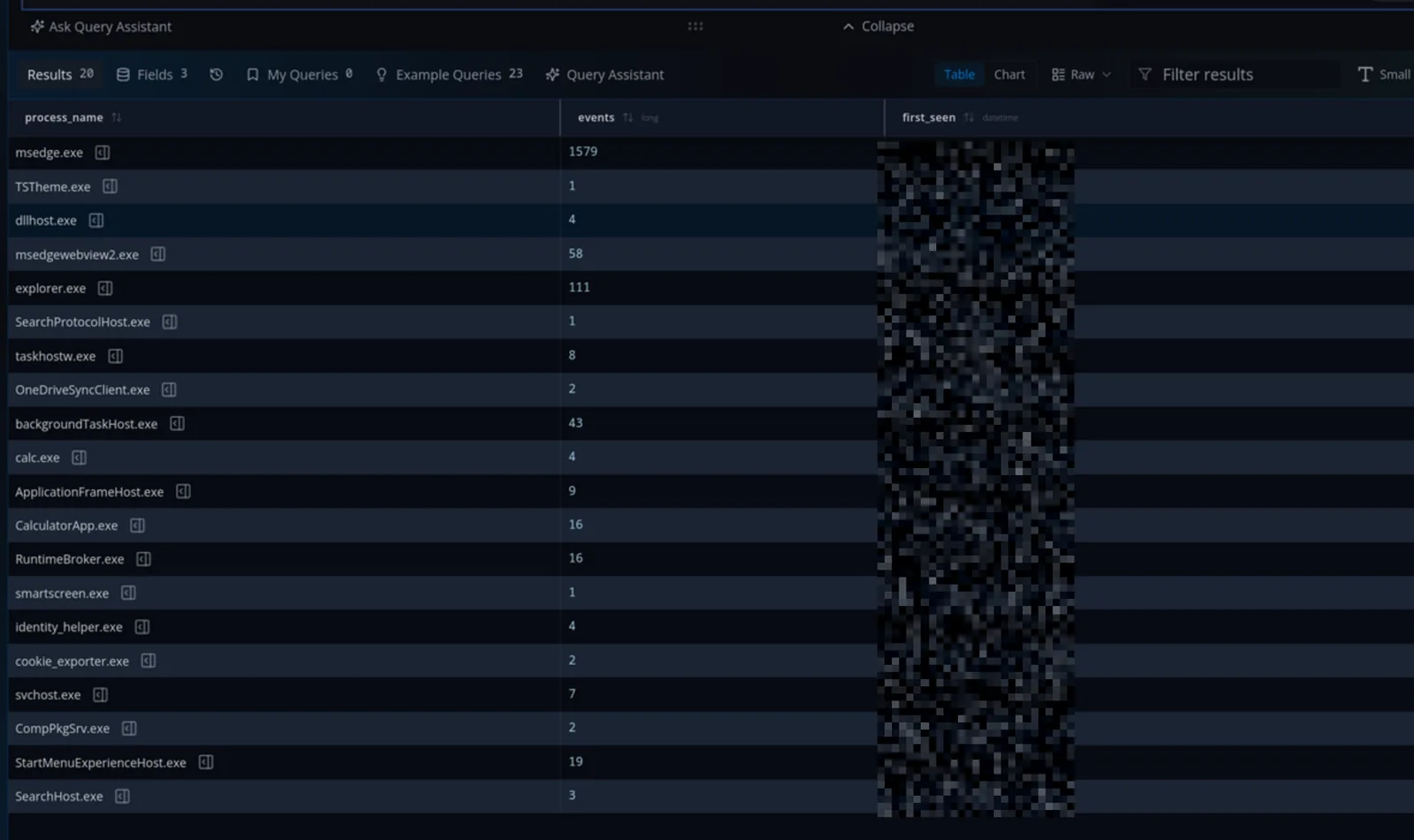
A few process names stood out. I went after the Edge helper binaries first, because one of them is called cookie_exporter.exe, which sounds like cookie theft. Then I checked where they ran from, and both were in the normal Edge install folder, so that was a dead end.
What I did next was search the path columns for document extensions, and the launch arguments of the default handler, to see what she had opened, where it came from, and whether it had moved. After that I looked at what the browser resolved over DNS following that open, filtering out the Windows and Microsoft background lookups so the odd names would show.
The sign-in. The alert’s source address was my key into the identity logs. I pulled every sign-in from it and ordered them, then compared the outcome of each row with its authentication details and error code, because a row marked as a failure can still tell you a lot. For the sign-in the alert was about, I checked how it was granted (the authentication protocol and transfer method), what MFA detail it recorded, and which application asked for the token. I also noted whether the device details were populated, since that decides what I can pivot on later.
The account changes. Next I read the directory audit log for that account after the sign-in. I grouped by operation first to see what kinds of changes there were, then opened the interesting rows and their modified properties. I noted every source address on those rows, since changes like these can come from different infrastructure than the sign-in did, and each new address or identifier is a fresh key for the other tables.
Following the activity. I used those new keys (addresses, identifiers and client strings) to go back into the sign-in table. I grouped by token type, application and resource to see how access was being granted, and compared failures and successes side by side by outcome, error code and MFA requirement. I also looked for the first sign-in after the account changes, to see whether those changes had actually been used.

Where I got stuck. I’d written off a set of sign-ins as Microsoft’s own background traffic without checking, and I needed a nudge from the lab to key on a device identifier in the sign-in details. Filtering on it showed I’d dismissed the wrong traffic. I also took a client string on the alerted sign-in at face value, and had to check it against what was installed on her own workstation before I could trust it.
Scope, mail and Graph. For scoping I checked that other users existed in the sign-in table before trusting an empty result for the addresses I was tracking. For the mail I used the Exchange audit records tied to the same identifiers and compared that session’s access type, folders and pace against her own sessions. Audit records show what was opened, not what was inside, so I was careful about what I concluded from them.
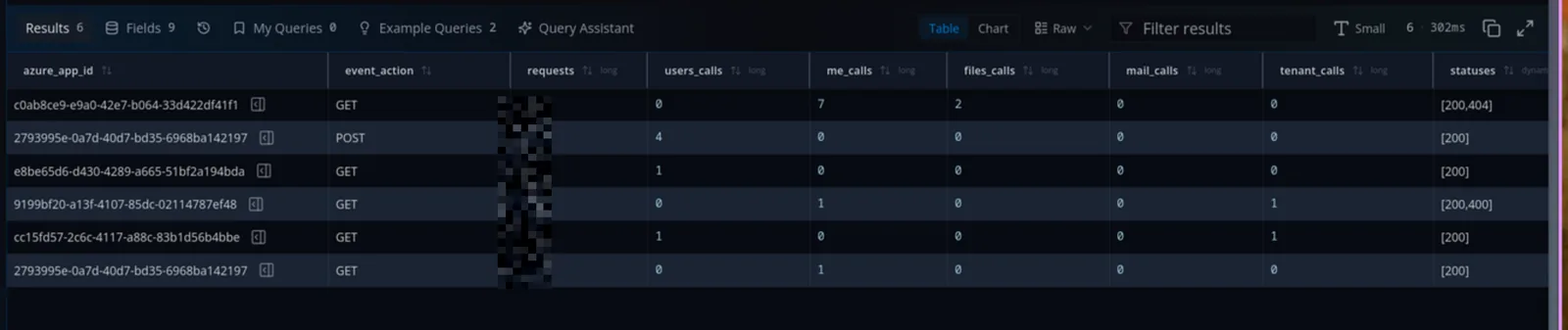
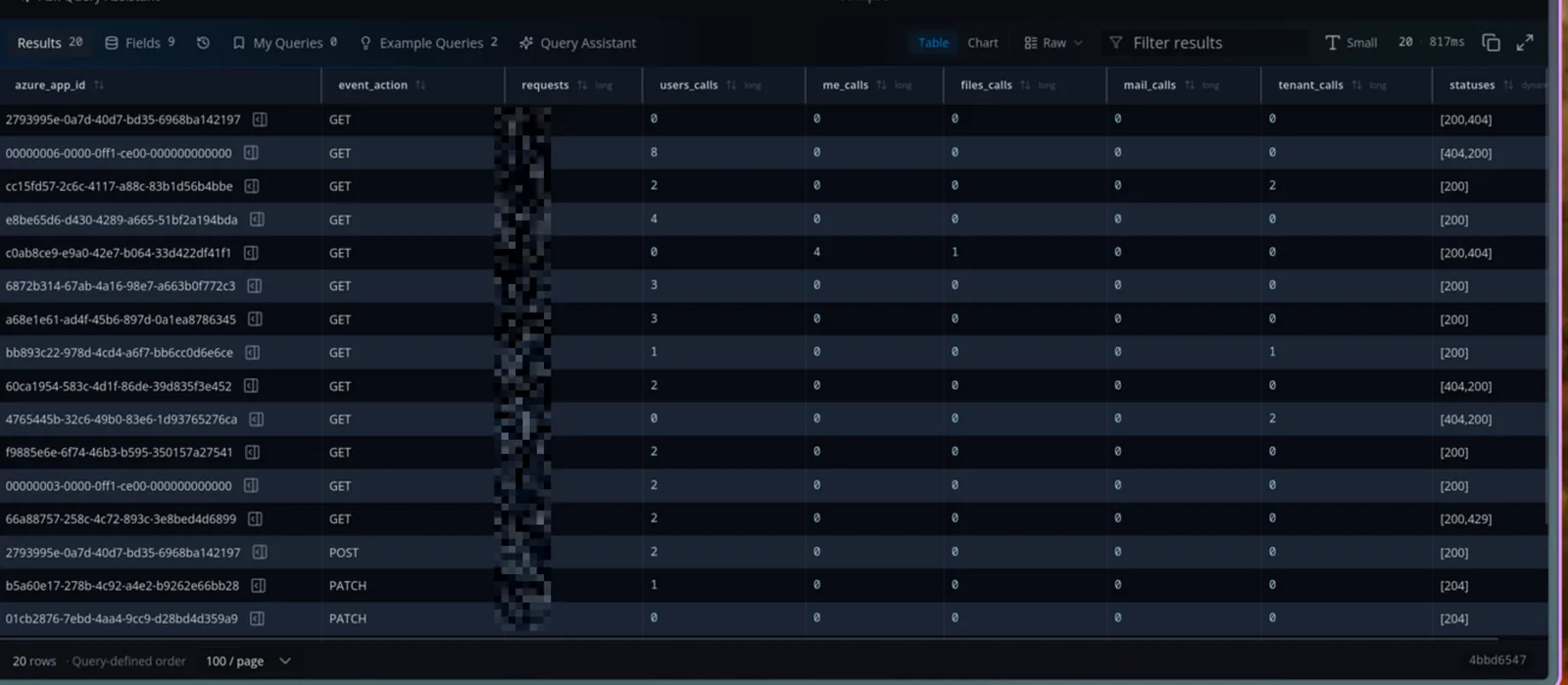
For Graph I compared that identifier’s requests with her own sessions. My “her own sessions” table also had a group of calls that looked wrong until I checked its app ID against the sign-in table. I’d have mislabelled that traffic as hers if I hadn’t checked.
Queries
These are the shapes I used, with the lab’s values swapped for placeholders.
Group by process to find what’s new on a host in a window:
<EDR_TABLE>
| where host_name == "<HOST>"
| extend ts = todatetime(timestamp)
| where ts between (<T0> .. <T1>)
| where user_name =~ "<USER>"
| summarize events = count(), first_seen = min(ts) by process_name
| sort by first_seen asc
Find documents created, moved or opened, including the default handler’s launch args:
<EDR_TABLE>
| where host_name == "<HOST>"
| extend ts = todatetime(timestamp)
| where ts between (<T0> .. <T1>)
| extend args = tostring(process_args)
| where args has_any (<EXTENSIONS>)
   or file_path has_any (<EXTENSIONS>)
| project ts, event_action, process_name, args, file_path
| sort by ts asc
Pivot from the alert’s address into the sign-ins and read the authentication details, not just the outcome:
<SIGNIN_TABLE>
| where source_ip == "<ALERT_IP>"
| project timestamp, event_outcome, azure_authentication_protocol, azure_original_transfer_method, azure_app_display_name, azure_mfa_detail
| sort by timestamp asc
Follow an identifier from the sign-in details and compare failures with successes:
<SIGNIN_TABLE>
| where azure_device_detail has "<DEVICE_ID>"
| extend err = tostring(parse_json(azure_status).errorCode)
| summarize events = count(), first_seen = min(todatetime(timestamp)) by event_outcome, err, azure_incoming_token_type, azure_authentication_requirement, azure_mfa_detail
| sort by first_seen asc
Compare mailbox access per session:
<MAIL_AUDIT_TABLE>
| where event_action == "<OPERATION>"
| where raw_record has "<USER>"
| summarize events = count(),
            items = sum(toint(m365_operation_count)),
            by_type = make_set(m365_operation_properties, 3)
  by m365_device_id, source_ip
Detection ideas
- Alert when an unfamiliar sign-in for a user is followed shortly by changes on the same account, and show the two together.
- Compare the client characteristics of a session (user agent, operating system) with the clients the user is known to use.
- Compare a session’s mailbox access pattern with the user’s own baseline for volume, pace and folders.
- Track activity by a stable identifier created during the incident, since addresses and other infrastructure can rotate.
What I’d do differently
- Group by something first (process, application, token type) before reading raw rows. Both times I scrolled raw rows I wasted time.
- Don’t trust a name. Check where something ran from.
- Read the authentication details, not only the outcome.
- Don’t treat a user agent as attribution until it’s been compared with the clients the victim is known to use.
- Prefer a stable identifier over addresses when the infrastructure changes.
- When a table is wide, filter on the raw text first, then project the columns that matter.
- Check a remembered fact, like an app ID, with a one-line query before building on it.
- Before trusting an empty result, prove the data could have returned something.
Lab: Flash Hunt: The Borrowed Session on Threat Hunting Labs